

Volume Styles - Custom control
Rating
Jun 12, 2024Latest update
4.4.0Version
About Volume Styles - Custom control
Take full control of your volume sliders with the most advanced volume app on the Play Store.
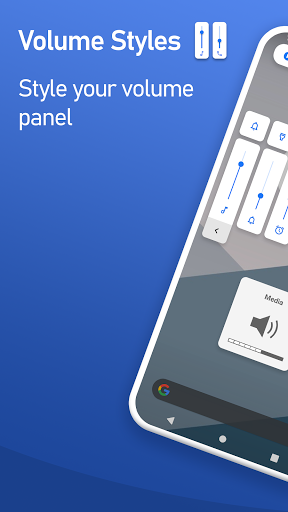
Volume Styles lets you fully customize your phone's volume panel and sliders.
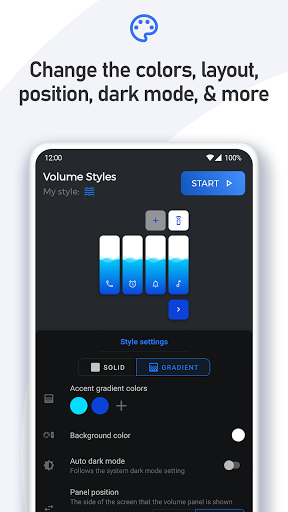
Change the colors, apply different themes such as iOS & MIUI, change the position, and more! You have full control.
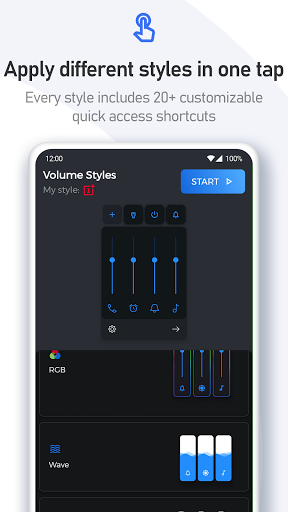
You can even add additional shortcuts in the volume panel, and change the brightness, to make accessing things faster.
STYLES
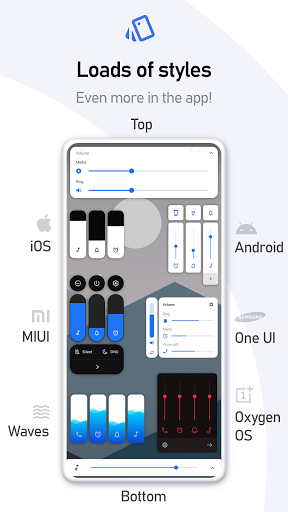
Easily apply any style to your volume slider in just one tap:
• Android 10
• iOS 13
• Xiaomi MIUI
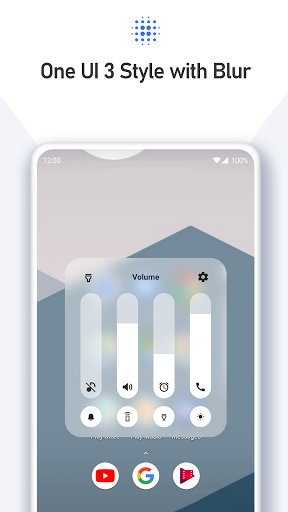
• Samsung One UI
• OnePlus OxygenOS
• Android Oreo horizontal sliders
• Huawei EMUI
• Windows 10
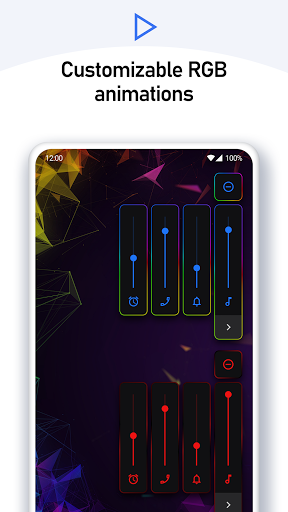
• RGB
• Color OS
• Paranoid Android
• Vivo Funtouch OS
• Realme UI
• iOS 12
• Windows Phone
• Volume knob
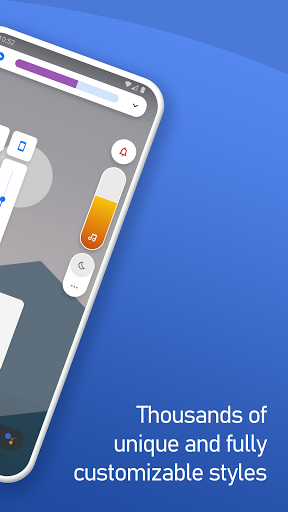
• ... and thousands of more styles inside the app
Volume Styles also includes a custom Style Creator where you can customize things to the extreme.
When you have designed your perfect style, you can submit it to the Style Feed along with thousands of other styles created by the community.
Simply favorite a style in the Style Feed to save it for later, or apply it instantly with a single tap.
SLIDERS
Change which volume sliders are shown. You can even add a brightness slider!
• Media volume
• Ring volume
• Notification volume
• Alarm volume
• Voice call volume
• System volume
• Bluetooth volume
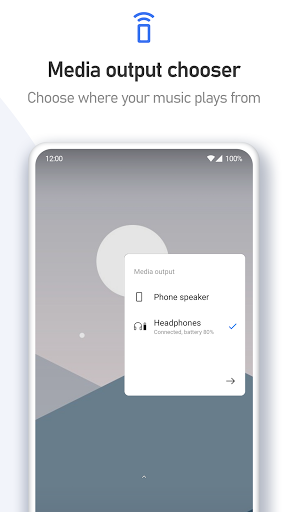
• Cast volume
• Brightness
CUSTOMIZE
Style the volume panel exactly how you like:
• Apply the colors you want
• Auto dark mode
• Change the corner radius
• Volume control panel position on screen
• Volume panel show duration
• ... and more!
ADD SHORTCUTS
• Live Caption
• Toggle rotation
• Flashlight / Torch
• Screenshot
• Split screen
• Settings shortcut
• Turn off screen
• Open sound settings
• Toggle Do Not Disturb
• Toggle sound mode ( silent / vibrate / ring )
• Toggle auto brightness
• Toggle media volume
• Toggle notification volume
• Toggle alarm volume
• Toggle voice call volume
• Toggle system volume
Volume Styles uses Accessibility Services to override the volume buttons.
LINKS
• Frequently Asked Questions: tombayley.dev/apps/volume-styles/faq/
• Twitter: twitter.com/tombayleyapps
• Telegram: t.me/joinchat/Kcx0ChlfocHjvUuzI1w0ZA
• Email: support@tombayley.dev
Gameplay
Volume Styles - Custom control Screenshots
Old Versions of Volume Styles - Custom control

Editor's Recommendation


Apps Like Volume Styles - Custom control


Apps by Tom Bayley


Volume Styles - Custom control FAQ
How do I download Volume Styles - Custom control from PGYER APK HUB?
Is the Volume Styles - Custom control on PGYER APK HUB free to download?
Do I need an account to download Volume Styles - Custom control from PGYER APK HUB?
How can I report a problem with Volume Styles - Custom control on PGYER APK HUB?
Did you find this helpfull
Yes
No
User Reviews
+ Reviews
4.4
5
4
3
2
1
T
TechGuruAsha
2022-10-04
0
0
Absolutely love Volume Styles! The custom control feature is a game-changer. It really helps in managing sound volumes efficiently. Highly recommend this app for anyone seeking precise audio adjustments.
M
MusicLoverMisho
2021-04-22
2
0
Volume Styles is simply amazing! It offers a great user experience and excellent customization options. Perfect for music enthusiasts like myself.
N
NeboshGeorgievic
2020-05-03
1
0
Volume Styles is outstanding! The variety of styles and controls make it the ultimate tool for managing audio volumes. A must-have app for tech-savvy users.
Most Popular

Downloader by AFTVnews
AFTVnews.com

Character AI: AI-Powered Chat
Character.AI

Google Chrome
Google LLC

YouTube
Google LLC

X
X Corp.

Telegram
Telegram FZ-LLC

Netflix
Netflix, Inc.

Tubi: Movies & Live TV
Tubi TV

Disney+
Disney

VPN Proton: Fast & Secure VPN
Proton AG

Microsoft 365 (Office)
Microsoft Corporation

Reddit
reddit Inc.

Signal Private Messenger
Signal Foundation

Vinted - Buy and sell clothes
Vinted

Grand Theft Auto: San Andreas
Rockstar Games

Football League 2024
MOBILE SOCCER

Toca Life World: Build a Story
Toca Boca

EA SPORTS FC™ Mobile Soccer
ELECTRONIC ARTS

Roblox
Roblox Corporation

Free Fire MAX
Garena International I

PUBG MOBILE LITE
Level Infinite

Fortnite
Epic Games, Inc

Free Fire: The Chaos
Garena International I

Block Blast!
Hungry Studio