

Go to Point
Rating
Mar 4, 2016Latest update
1.4Version
About Go to Point
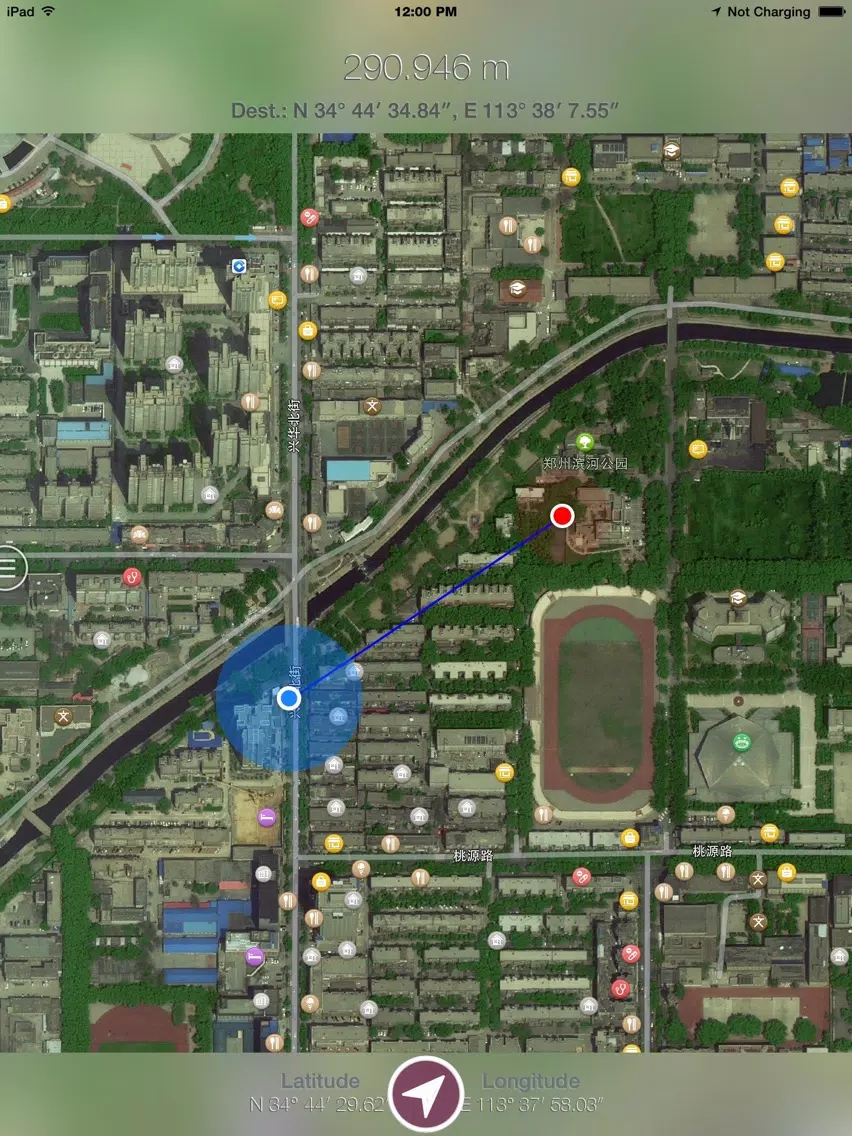
This App is a graceful, concise, powerful navigation tool based on the map, it allows you to quickly and accurately measure the distance between your current location and destination point, and make you arrive the destination very quickly.
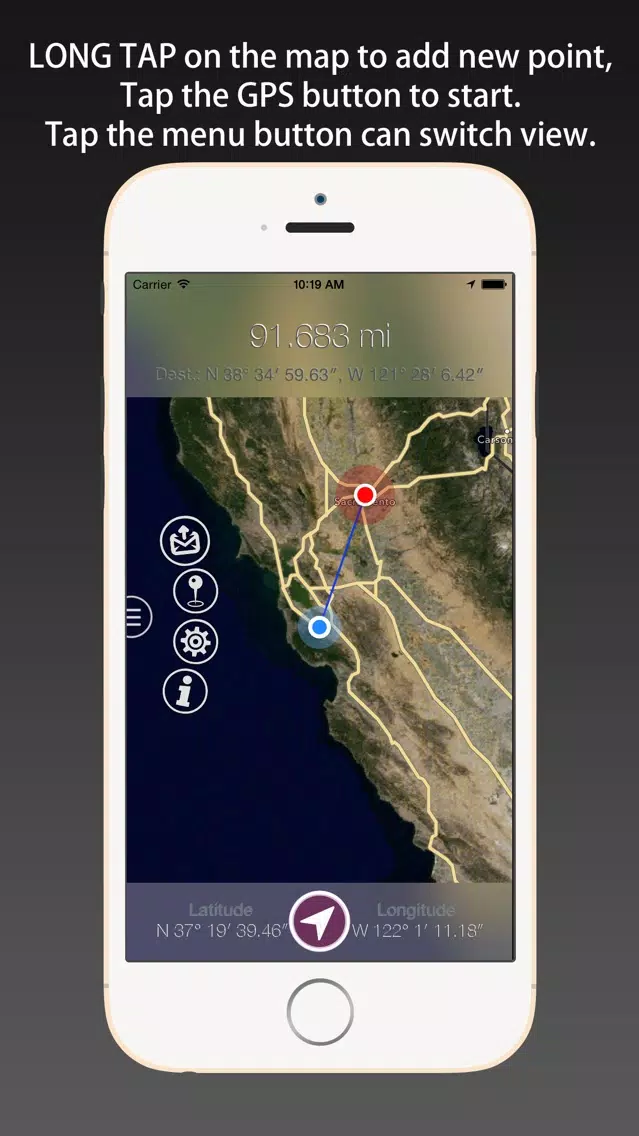
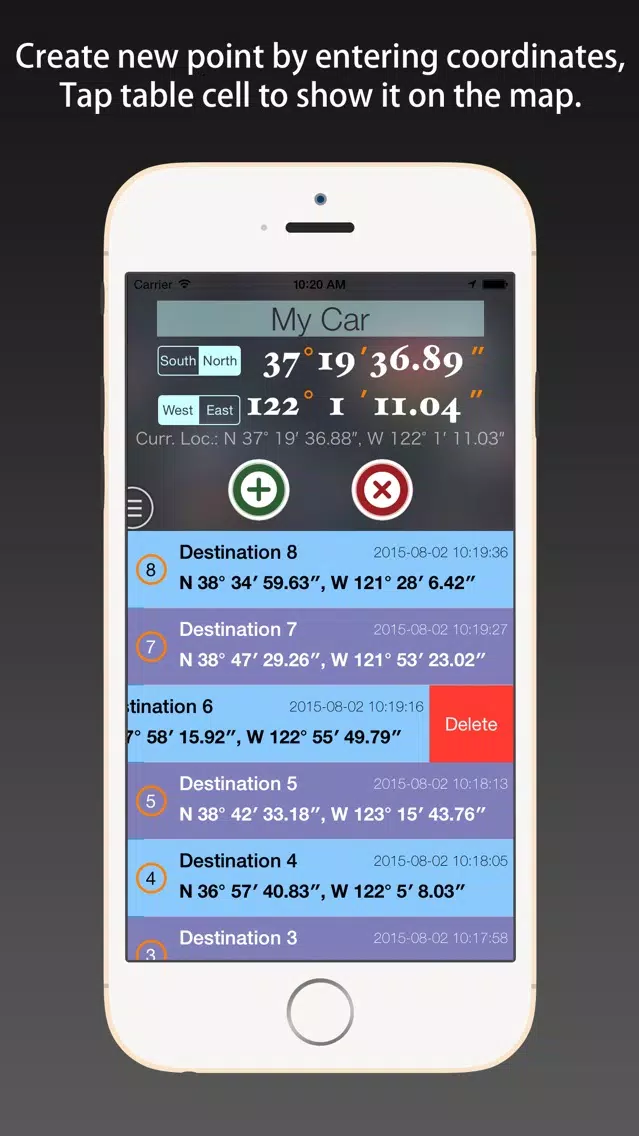
You can long tap on the map, can also manually enter coordinates, to set the target position.
[Features]
1. Simple: only need long tap on the map view to set the target point, also can input coordinates manually.
2. Data export: export the KML and CVS format point list file, KML files can be opened by Google Earth software.
3. comprehensive support: support all of the iPhone and iPad series products, and the iPod series products containing positioning sensor.
4. Distance units: including the meters, kilometers, feet, miles, nautical and other five units.
5. Clean: no ADS, no IAP, no background refresh.
[Save Electricity Design]
1. The positioning function whether open is completely determined by the user, provide switch button for operation, and use it every time you open the can.
2. The software automatically shut down into the background positioning function, shut down the background refresh function.
3. In both positioning function and display on the map function, optimization software made possible, make the minimum power consumption and the network flow.
4. Only in case of necessity, guiding users to use network traffic (on the left an anchor point too far, or unable to get WIFI around fingerprint).
[Instructions]
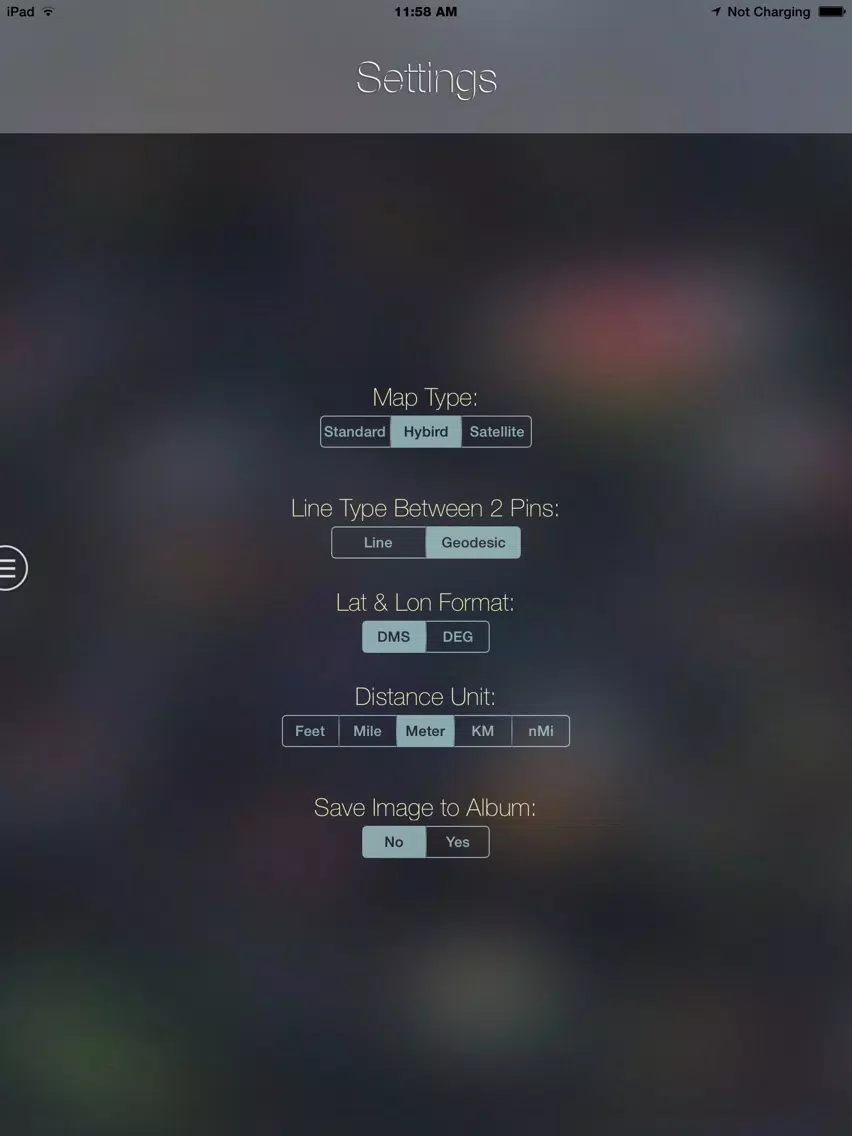
1. In the Settings page, select your commonly used options, such as distance units, coordinate display format, line style, and so on.
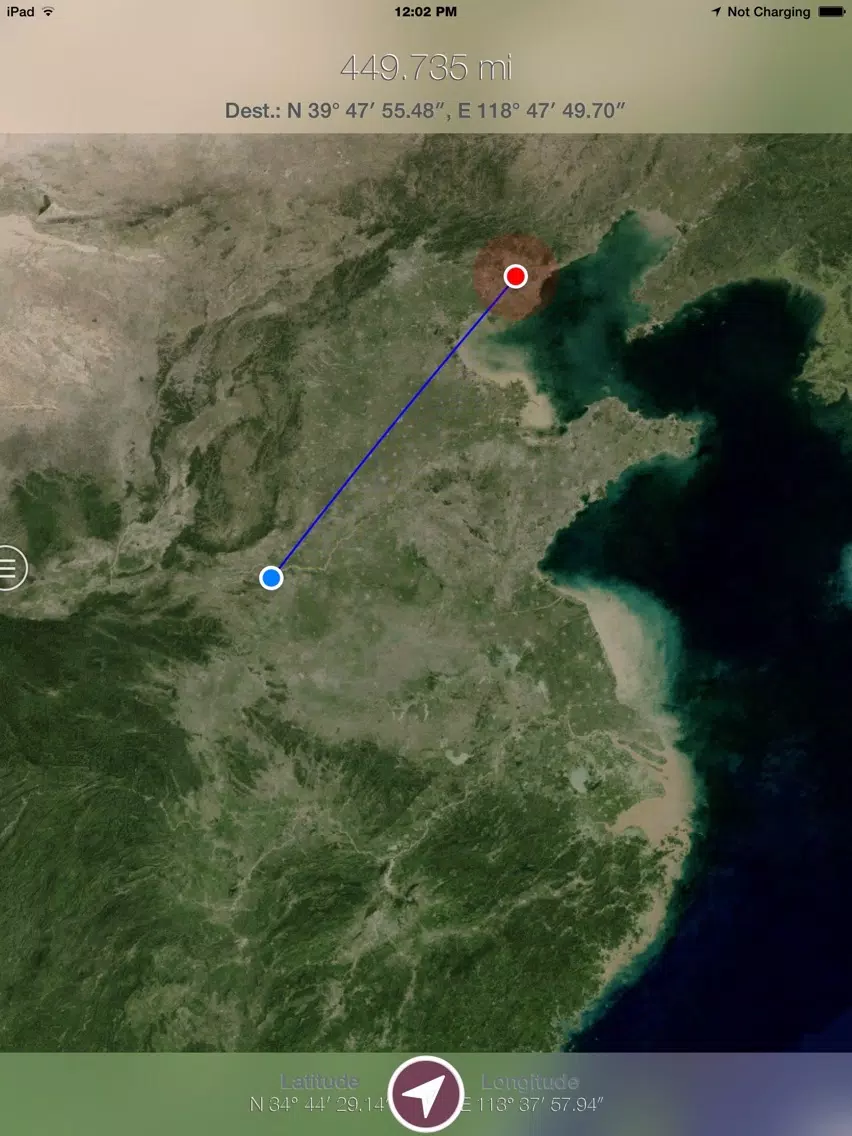
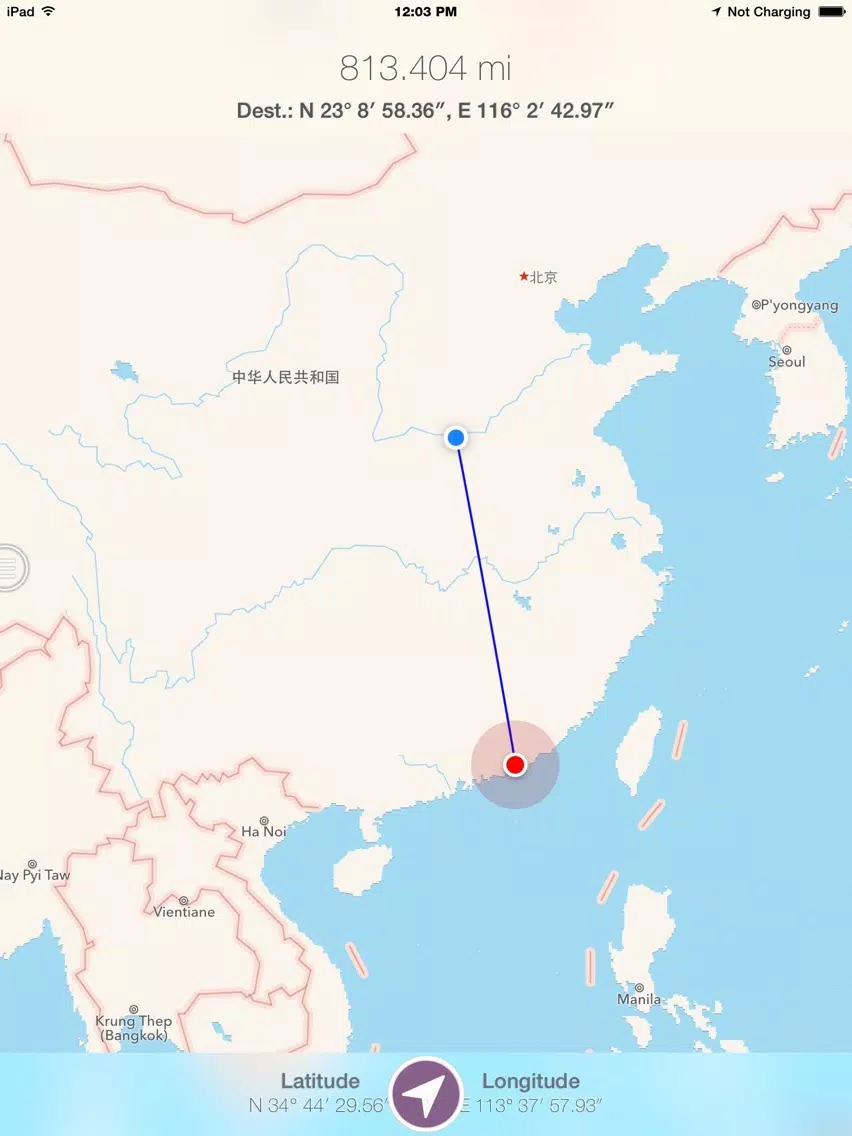
2. In the map view page, zoom in,long tap on the destination to add the target point, click on the “positioning” button to start monitoring the change of the distance.
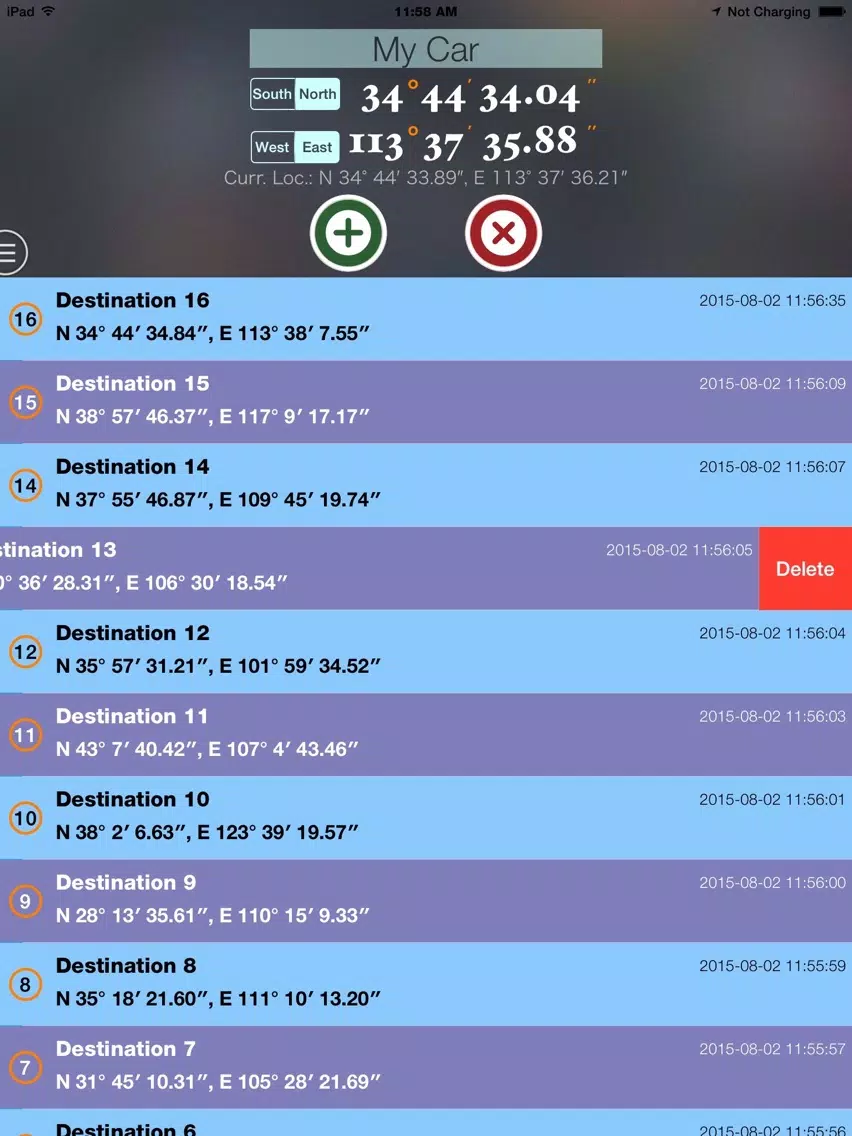
3. In the point list page, enter the target name and coordinates, and save them. Click in the table records, can be to find this point. In addition, click on the current location label, you can rapidly enter the coordinates.
4. The map page and point list page, you can click the export button on the menu, respectively export for the current searching progress and point list information.
[Updated]
Version 1.1
1. Fixed the coordinate offset on the map in the China region. All of the coordinate showed on the views (in the point list view and the map view) are REAL values, based on WGS84 system.
2. Add the more functions to the "Positioning" button, you can change four modes of positioning, such as "Tracking With Location", "Follow With Location", "Follow With Heading" and "Stop Positioning".
Version 1.2
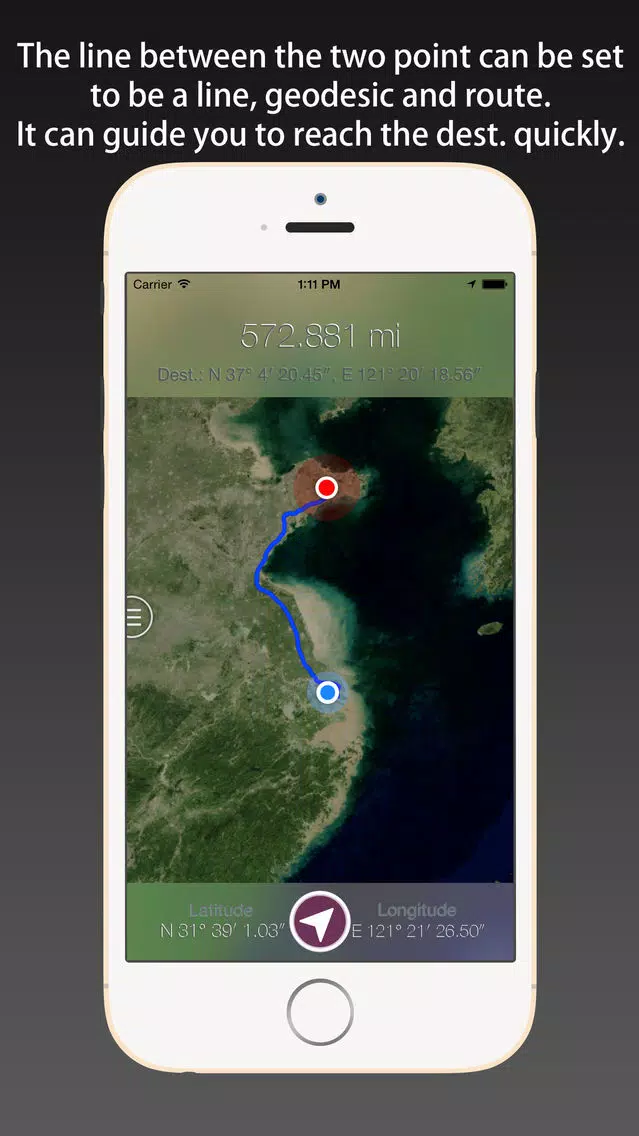
Support draw the route between the target point and user's location on the map, and show the distance of the route. Add the correlative setting options.
If the App is helpful to you, would you please give a high rate to encourage our programer?
If you have any questions and suggestions, please email to lhikien@gmail.com .
You can long tap on the map, can also manually enter coordinates, to set the target position.
[Features]
1. Simple: only need long tap on the map view to set the target point, also can input coordinates manually.
2. Data export: export the KML and CVS format point list file, KML files can be opened by Google Earth software.
3. comprehensive support: support all of the iPhone and iPad series products, and the iPod series products containing positioning sensor.
4. Distance units: including the meters, kilometers, feet, miles, nautical and other five units.
5. Clean: no ADS, no IAP, no background refresh.
[Save Electricity Design]
1. The positioning function whether open is completely determined by the user, provide switch button for operation, and use it every time you open the can.
2. The software automatically shut down into the background positioning function, shut down the background refresh function.
3. In both positioning function and display on the map function, optimization software made possible, make the minimum power consumption and the network flow.
4. Only in case of necessity, guiding users to use network traffic (on the left an anchor point too far, or unable to get WIFI around fingerprint).
[Instructions]
1. In the Settings page, select your commonly used options, such as distance units, coordinate display format, line style, and so on.
2. In the map view page, zoom in,long tap on the destination to add the target point, click on the “positioning” button to start monitoring the change of the distance.
3. In the point list page, enter the target name and coordinates, and save them. Click in the table records, can be to find this point. In addition, click on the current location label, you can rapidly enter the coordinates.
4. The map page and point list page, you can click the export button on the menu, respectively export for the current searching progress and point list information.
[Updated]
Version 1.1
1. Fixed the coordinate offset on the map in the China region. All of the coordinate showed on the views (in the point list view and the map view) are REAL values, based on WGS84 system.
2. Add the more functions to the "Positioning" button, you can change four modes of positioning, such as "Tracking With Location", "Follow With Location", "Follow With Heading" and "Stop Positioning".
Version 1.2
Support draw the route between the target point and user's location on the map, and show the distance of the route. Add the correlative setting options.
If the App is helpful to you, would you please give a high rate to encourage our programer?
If you have any questions and suggestions, please email to lhikien@gmail.com .
Go to Point Screenshots
Go to Point iPad Screenshots
Editor's Recommendation
 Canva: AI Photo & Video Editor
 Proton VPN: Fast & Secure
 Booking.com: Hotels & Travel
 Too Good To Go: End Food Waste
 Waze Navigation & Live Traffic
 Stellarium Mobile - Star Map
 Ticketmaster-Buy, Sell Tickets
 Bolt: Request a Ride
 Life360: Find Friends & Family
 GetYourGuide: Travel & Tickets
 Sky Guide
 Doctolib - Your health partner
Apps Like Go to Point
 Point hub POS - Point of Sale
 Point Pizza - Best Pizza Point
 Point After Point - The Witness
 Point 2 Point - free puzzle digital connection game
 POS app, Point of Sale System
 M-POINT
 Car Dealz Point
 Locutorio Point K
 Welcome to Pine Point
 HOP ERP - Point of Sales
 Blank Point Soft Connect
 Cococart Point of Sale (POS)
Apps by Jian Li


Most Popular

ChatGPTIntroducing ChatGPT for iOS: OpenAI’s latest advancements at your fingertips.
This official app is f

Google GeminiThe Google Gemini app is an AI assistant that can help supercharge your creativity and productivity.

Claude by AnthropicGet free access to the newly upgraded Claude 3.5 Sonnet – Anthropic's most advanced model yet. Wheth

GoogleDownload the Google app to stay in the know about things that matter to you. Try AI Overviews, find

CapCut - Video EditorCapCut is a free all-in-one video editing app that helps you create incredible videos.
「Easy to use」

Shop: All your favorite brandsElevate every shopping moment
Shop, track, and explore the latest trends in an all-in-one shopping

Google MapsNavigate your world faster and easier with Google Maps. Over 220 countries and territories mapped an

Uber - Request a rideJoin the millions of riders who trust Uber for their everyday travel needs. Whether you’re running a

ThreadsSay more with Threads — Instagram’s text-based conversation app.
Threads is where communities come t

Gmail - Email by GoogleThe official Gmail app brings the best of Gmail to your iPhone or iPad with robust security, real-ti

TikTokTikTok is THE destination for mobile videos. On TikTok, short-form videos are exciting, spontaneous,

WhatsApp MessengerWhatsApp from Meta is a FREE messaging and video calling app. It’s used by over 2B people in more th

InstagramLittle moments lead to big friendships. Share yours on Instagram.
— From Meta
Connect with friends,

Netflix Game ControllerPlay games on your TV with the Netflix Game Controller.
This app connects to your TV and allows you

AirbnbTHE FASTEST, EASIEST WAY TO AIRBNB
Find inspiration, plan a trip with your group, book it, and go. Y

Telegram MessengerPure instant messaging — simple, fast, secure, and synced across all your devices. One of the top 5

Spotify - Music and PodcastsWith the Spotify music and podcast app, you can play millions of songs, albums and original podcasts

DramawaveDramawave - Stream Endless Drama Shorts, Anytime, Anywhere
Welcome to Dramawave the ultimate destina

Whatnot - Live Video ShoppingWhatnot is a social marketplace where you can discover some of your favorite products like sports ca

Google ChromeDownload the new Google Chrome for your iPhone and iPad. Now more simple, secure and faster than eve

FacebookWhere real people propel your curiosity. Whether you’re thrifting gear, showing a reel to that group

XThe X app is the trusted global digital town square for everyone.
With X, you can:
Post content for

Indeed Job SearchDiscover your next job opportunity on Indeed, the free job search app designed to connect you with b

Duolingo - Language LessonsLearn a new language with the world’s most-downloaded education app! Duolingo is the fun, free app f