
Google Docs for Android Review — Suggesting Edits to an Event Announcement

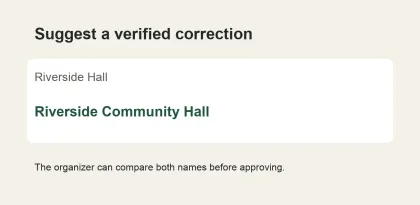
The evening before a neighborhood film screening, two volunteers need to finish the announcement. One spots a typo in the venue name. The other wants to change “doors open at 7” to “film starts at 7,” although nobody has checked with the venue. Google Docs gives both reviewers a way to flag what they found, but those two edits call for different actions.
Suggest wording when the change is ready to approve
Use Suggest changes in the Android document menu and replace the smallest complete phrase that fixes the problem. If the venue's official name is “Riverside Community Hall,” replace the shorter name where it appears in the directions. A short replacement lets the organizer compare both names without rereading the entire paragraph. On a phone, check the selection before typing so you don't accidentally include the street address. Google Docs Help

Google Play app preview.
Use a comment when the fact is still open
Select “doors open at 7” and ask for both the door time and the screening time. If the venue confirms doors at 7 and film at 7:30, put both in the announcement. Check the headline, registration instructions, and any reminder copy that repeats the time. A comment attached to the original line makes the question easy to find, while the follow-up check catches a contradiction elsewhere.

Google Play app preview.
Review changes in the order readers will encounter them
Start with the date, venue and times before accepting spelling and punctuation changes. When two suggestions affect the same sentence, settle its meaning and read the result as a whole. Then scroll through the notice from the title to the registration link. A short announcement is manageable on a phone. A longer document with overlapping edits can make it harder to see whether accepting one change affects another paragraph.
Verdict
Suggesting is useful for a second reader who can spot a handful of precise changes from their phone. The organizer can approve those edits in context while keeping questions attached to the relevant wording. Its value is highest when the draft is close to ready and the reviewer keeps each proposed change small enough to judge on its own.


