
Google Keep for Android Review — Organizing an Apartment Move

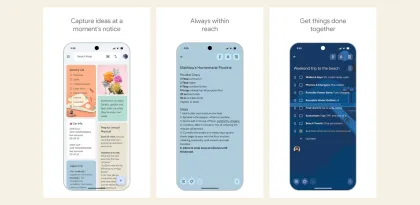

On moving day, the notes that matter change by the hour. At 8 a.m. you need the loading entrance and the mover's number. At noon you need the key handover time. A week later you might need the utility meter reading. Google Keep handles these different lifetimes with three controls: labels, pins, and the archive. The setup takes only a few notes, but it works best when each note has a clear job.

Give the move one label and the day one pinned note
Use a label such as Oak Street move on notes about the apartment. Give each note a title you could recognize at a glance, such as “Loading entrance and mover contact” or “Old apartment meter readings.” Keep lets you select multiple notes to apply a label, which helps when you already have a scattered collection. Google Keep Help on labels and pins
Pin a single moving-day note with the next two or three actions. Include the time and the person responsible in the line itself: “10:30 — Sam meets movers at rear entrance.” A pinned note is fast to reach when you're standing outside with a box in one hand. Pin every reference note and you give up that advantage. The label is where the rest of the project belongs.
Split notes by when you will need them again
A single checklist feels convenient the night before the move. By the afternoon, it can bury the new building's entrance details beneath checked packing tasks. Give recurring reference information its own note. Keep temporary jobs, such as returning a trolley or sweeping the empty apartment, in the checklist. That makes it possible to archive the finished checklist without losing quick access to the entrance.
If you share a note with a partner, agree on a title and put the actual assignments in the note. Google Keep's labels, pins, and colors are personal even on shared notes. A pinned handover checklist on your phone might be halfway down your partner's feed. For a time-sensitive handoff, send them the note and put the deadline in its text. Google Keep Help on personal organization

Archive completed work when the next step is clear
After the keys are handed over, archive the checklist from the icon at the top of the note. If you need it again, open Archive from the side menu and unarchive it. Google also supports archiving several selected notes together. That makes the end-of-move cleanup practical once the final inspection and equipment returns are settled. Deleting a shared note affects the people you shared it with as well, so choose that action only when the group no longer needs the note. Google Keep Help on archiving and deleting notes
Verdict
Keep works well for a move with a handful of short notes and a single checklist someone can review at the door. The label makes it easier to return to the project, the pin makes the day's instructions accessible, and archiving clears finished work from the main feed. If several people are juggling deadlines across different properties, Keep still leaves someone responsible for checking that assignments are current. For one apartment and a few handoffs, that trade-off is reasonable.


