
Pizza Boy A Pro Review 2026: A Polished GBA Emulator Built for Android

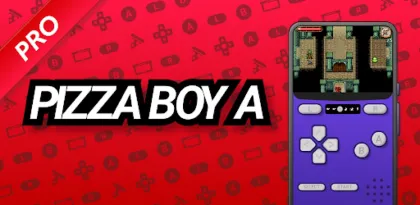

Pizza Boy A Pro is a premium Game Boy Advance emulator that understands what makes portable emulation enjoyable. It launches quickly, runs on-screen controls without covering the game unnecessarily, supports physical controllers, and offers the modern conveniences that original hardware never had: save states, fast-forward, rewind, shaders, cloud synchronization, customizable skins, and achievements.
Its narrow focus is a strength. Pizza Boy A Pro does not attempt to manage every classic console through one complicated frontend. It runs GBA software and nothing else. Game Boy and Game Boy Color files require a different emulator, while no commercial games are included. Within that boundary, the app provides unusually deep control over performance, display, input, saves, and cartridge-specific hardware.
The current Google Play listing shows active development, a 4.8-star rating, more than 100,000 downloads, and an October 21, 2026 update. It is a one-time premium purchase with no subscription, no advertising, and—according to the developer's store disclosure—no data collection.
This review focuses on the emulator itself, not the copyrighted games played through it. Emulation software has legitimate preservation, accessibility, development, and personal-backup uses. Users remain responsible for obtaining game files and BIOS data lawfully in their jurisdiction.

A Focused Emulator With a Friendly Front End
The app opens into a game library rather than a wall of technical settings. Once a folder containing compatible files has been selected through Android's storage interface, titles appear in a browsable list. Custom box art, favorites, tabs, and search make a larger collection manageable.
Recent versions improve navigation for handheld devices and controllers. The game list, tabs, and toolbar now support the D-pad, while controller buttons can add favorites or open per-game options. This matters on Android gaming handhelds, where touching the display breaks the console-like experience.
Pizza Boy A Pro supports individual GBA files and compressed ZIP or 7z archives. Compression saves storage, but an organized uncompressed library can be easier to troubleshoot, patch, back up, and scan. Use clear filenames and separate original personal dumps from patched homebrew or fan projects.
The interface is more attractive than the utilitarian menus of many emulators. Skins can make a phone resemble a handheld, and custom layouts allow the screen and controls to be arranged around different aspect ratios. Visual customization is not merely decorative: a good layout improves visibility and reduces thumb travel.
The application is closed-source, so users cannot independently audit its emulation core in the way they can with some community projects. The tradeoff is a cohesive, actively maintained product with a straightforward Play Store purchase and direct developer support.
Performance Is Strong Even on Modest Hardware
The developer describes the emulator as written in C and assembly, with OpenGL and OpenSL used for graphics and audio. Google Play advertises 60 frames per second on older hardware and low battery consumption. Real results still depend on the device, shader, audio configuration, thermal limits, and game.
GBA emulation is not demanding by modern flagship standards, so most current Android phones should have substantial headroom. That headroom can support shaders, fast-forward, screen recording, or higher-quality filtering without harming normal play. Older budget devices benefit from the native implementation and limited scope.
Accuracy matters more than raw speed. Timing-sensitive games, unusual graphics effects, sound synchronization, and cartridge peripherals reveal weaknesses that a simple title screen cannot. Pizza Boy's high reputation and Play rating suggest broad compatibility, but no emulator is perfect. Keep the app updated and test important games before committing to a long playthrough.
The September and October 2026 change history shows continued maintenance rather than abandonment. Recent releases fixed mosaic effects, cheat configuration, custom box-art selection, empty-cheat crashes, icons, an LCD3X shader, landscape library controls, and D-pad navigation. These are small issues, but steady fixes matter in software that must coexist with evolving Android storage and input behavior.
If a game stutters, begin with default settings. Disable heavy shaders, return audio timing and frameskip options to their recommended values, close power-saving modes, and test the original unmodified game dump. Changing multiple accuracy and performance controls simultaneously makes the real cause difficult to identify.
Touch Controls Are Highly Adaptable
Virtual buttons will never reproduce the physical feel of a GBA, but Pizza Boy A Pro gives users enough control to build a comfortable compromise. Buttons can be moved and resized, opacity can be adjusted, and layouts can be adapted for portrait or landscape play.
Portrait mode resembles a traditional handheld: the game screen sits above the controls, leaving the image mostly unobstructed. It works well for role-playing, strategy, puzzle, and turn-based games. Landscape enlarges the game but places controls over or beside it, which can improve action play at the cost of more screen coverage.
Button spacing matters. The GBA uses a D-pad, A, B, L, R, Start, and Select, but games combine them differently. Action titles benefit from placing A and B close enough to slide between while leaving shoulder buttons within reach. A large D-pad helps diagonal movement, though excessive size can cause accidental direction changes.
Haptic feedback adds confirmation but cannot replace travel and resistance. Strong vibration can also become distracting and consume battery. Use subtle feedback for menu or slower games and consider disabling it during rapid action.
Skins should be evaluated as control surfaces, not screenshots. A beautiful border that makes buttons small, pushes the game image too high, or leaves no room for modern gesture navigation is not useful. Save different layouts for genres or orientation when the app's configuration allows it.

Physical Controllers Transform the Experience
Pizza Boy A Pro supports hardware gamepads and can hide the on-screen controls when one is detected. A compact telescopic controller turns a phone into a convincing handheld, while a standard Bluetooth or USB pad works well for tablet and TV-style play.
Input latency depends on the controller, connection, Android device, and display. USB generally provides the most predictable response, though current Bluetooth pads can feel excellent. Rhythm games, action platformers, and fighting games expose latency more clearly than turn-based titles.
Map every control before starting a serious session. Confirm diagonals, both shoulder buttons, Start, Select, menu access, fast-forward, save-state shortcuts, and rewind. A missing emulator-menu shortcut is especially frustrating when touch controls are hidden.
Android may assign different identities after reconnecting multiple controllers. Local multiplayer therefore needs careful testing. Label or remember player order, verify mappings after Bluetooth reconnection, and keep the devices charged. Network conditions add another variable to Wi-Fi multiplayer, so use a stable local connection rather than assuming internet speed is the deciding factor.
The latest D-pad library navigation improves controller-only use. Together with auto-hiding overlays, it makes Pizza Boy suitable for dedicated Android handhelds instead of treating them as large phones that must be touched between every game.
Save States, Auto Save, and Rewind
The emulator supports traditional in-game saves as well as save states. They solve different problems. A game's own save file is portable across compatible emulators and closer to original hardware behavior. A state captures the entire running machine at one instant and is usually tied more closely to the emulator version.
Use in-game saving as the foundation. Save states are ideal for pausing anywhere, practicing difficult sections, or protecting a short mobile session from interruption, but they should not become the only copy of dozens of hours of progress. After a game saves normally, allow it to finish writing before closing or loading another state.
Quick Save improves convenience but creates overwrite risk. A rushed tap can replace a good state with a bad one. Google Play reviews specifically mention accidental quick-save overwrites, and the developer notes that older .sav files may be recoverable through an advanced tool. Recovery is useful, but prevention is better: use several state slots and make ordinary in-game saves regularly.
Auto Save can reduce damage from crashes or interruptions. Confirm when it occurs and whether Auto Load is enabled before assuming the app will resume at the exact frame. A stale automatic state can be confusing if the game's internal save is newer.
Rewind continuously retains recent execution so the player can undo a mistake. It is convenient for platforming, racing, and experimentation, but it uses memory and storage bandwidth and can remove the intended tension from a game. Treat it as an accessibility or practice option rather than an obligation.

Google Drive Sync Is Valuable but Needs Discipline
The Pro edition includes Google Drive synchronization for saves. This is useful when moving between a phone, tablet, and Android handheld, or when replacing a device. Cloud synchronization is not the same as an unlimited versioned backup.
Before enabling sync everywhere, confirm which directory and file types are included. Make one offline copy of important saves, upload from the device with the newest progress, and only then connect another device. Opening the same game on two devices without allowing synchronization to finish can create conflicts or overwrite the desired file.
Game files and saves have different legal and practical considerations. The app can synchronize progress without necessarily distributing the underlying games. Keep personal dumps organized separately and do not share copyrighted ROM libraries through public cloud links.
When migrating from Pizza Boy A Basic, remember that Pro is a separate application. The Play listing explicitly offers developer help for moving saves. Do not uninstall the Basic edition or erase its storage until the transferred save loads correctly in Pro and an external backup exists.
Android's scoped-storage rules can make folders appear different between app versions. Use the system file picker, grant access only to the intended directory, and avoid file-manager “cleanup” features that may delete unfamiliar save extensions.
Cartridge Hardware Support Is a Standout Feature
Some GBA cartridges included hardware beyond ordinary game data. Pizza Boy A Pro lists support for gyroscope, light sensor, tilt sensor, and rumble functions. On compatible games, phone sensors can reproduce mechanics that simpler emulators ignore or approximate with buttons.
Sensor quality and orientation vary between devices. Calibrate on a level surface and test the neutral position before deciding that motion behavior is inaccurate. A thick controller grip may change how comfortably the entire phone can be tilted.
Light-sensor emulation cannot recreate every original physical condition automatically, so controls or mapped levels may be involved depending on configuration. Rumble feedback depends on the phone or controller vibration implementation. These features should be considered valuable compatibility tools, not guaranteed replicas of each original cartridge.
Custom BIOS support is available for users who legally dump the required firmware from their own hardware. The emulator can run without bundling copyrighted BIOS material, and most users should begin with the default configuration. A random BIOS downloaded from an unknown site creates legal, security, and compatibility risks without guaranteeing better accuracy.
Shaders and Display Options
Original GBA artwork was designed for a small low-resolution LCD. Displaying those pixels sharply on a large OLED can look cleaner than original hardware but also harsher than intended. Pizza Boy provides shaders and scaling options to shape the presentation.
Sharp integer-like scaling preserves pixel edges. LCD-style shaders can simulate grid structure, color response, or softness. Smoothing reduces jaggedness but may blur pixel art. There is no universally authentic choice because original screens, later revisions, and player memory differ.
Begin with neutral scaling and correct aspect ratio. Add one shader at a time, checking text, scrolling, transparency, and dark scenes. Heavy filters can affect performance and battery without improving a small phone display. Avoid stretching the image merely to fill every pixel; distorted circles and uneven scrolling are more distracting than modest borders.
Fast-forward is valuable for slow animations and repetitive sections, while slow motion can help practice timing. Extreme fast-forward rates depend on CPU headroom and may cause audio breakup. A physical shortcut makes speed control far more practical than opening a menu repeatedly.

Cheats, RetroAchievements, and Multiplayer
Cheat support is included in Pro, with recent updates fixing configuration and increasing the number that can be active simultaneously. Cheats can make old games more accessible, test content, or reduce repetition. They can also corrupt progress or create impossible states. Back up the ordinary save before enabling one and disable it before reporting an emulation bug.
RetroAchievements adds community-defined goals to classic games. It can make a replay feel fresh and create structure beyond completion. Account connectivity is required, and achievements may depend on a recognized game revision. Modified files or patches can fail identification even when the game itself runs.
Local and Wi-Fi multiplayer are ambitious features because original GBA link communication is timing-sensitive. Results vary by game, device, connection, and emulator version. Both players should use matching game revisions and compatible settings, disable aggressive battery restrictions, and test nearby before planning a long session.
Emulation multiplayer does not convert every local-link game into a conventional global online service. Latency and interruptions matter, and save compatibility should be verified after trading or linked events. Maintain backups before any operation that modifies persistent game data.
Legal and Safety Considerations
Pizza Boy A Pro contains no games and is not affiliated with Nintendo. Buying the emulator does not purchase licenses to commercial GBA titles. Laws and exceptions differ by country, but downloading copyrighted game files from random websites is not made lawful merely because a person once owned a cartridge.
The safest preservation workflow is to dump games and firmware from hardware the user owns with appropriate tools, retain proof of ownership, and keep the files private. Homebrew and explicitly authorized freeware offer another legitimate source of software. Do not request download sites from the developer or blame the emulator when an altered dump fails.
Unknown ROM sites present security risks in addition to copyright concerns. A genuine GBA file cannot be a Windows installer or Android package. Do not run executables advertised as download managers, and never install a modified Pizza Boy APK promising bundled games or unlocked payment features.
Google Play's developer-provided Data Safety section states that the app collects no data and shares no data with third parties. Cloud sync and RetroAchievements necessarily involve optional external services when used, so review their account and privacy terms separately.

Basic Versus Pro
Pizza Boy A Basic already supplies the essential emulator: performance, save states, speed controls, customizable on-screen buttons, physical controllers, shaders, compressed archives, screenshots, and RetroAchievements. It is a sensible compatibility test before buying.
Pro adds the features that matter to committed users: rewind, cheats, skins, custom box art, Drive synchronization, quick and automatic saves, local and Wi-Fi multiplayer, custom BIOS support, cartridge sensors, improved controls, and a more capable settings experience.
The US Play listing showed a $5.99 one-time price when reviewed, but pricing varies by region. For someone playing a single slow RPG on one phone, Basic may be sufficient. Users with several devices, a large library, action games, a controller, or a need for cloud backups will gain far more from Pro.
Verdict
Pizza Boy A Pro succeeds because it combines emulator depth with a focused Android experience. Performance is fast, the library is approachable, touch layouts are flexible, controller support suits dedicated handhelds, and save states, rewind, shaders, sensor emulation, achievements, multiplayer, and Drive sync cover nearly every expected premium feature.
The limitations are clear. It supports GBA only, includes no games, remains closed-source, and requires careful save management. Multiplayer and specialized cartridge behavior can be device- or game-dependent. Cloud sync does not remove the need for offline backups.
Try Pizza Boy A Basic with a legally obtained personal game dump, verify performance and controls, then buy Pro if its expanded preservation and convenience tools solve real needs. For Android users who want a dedicated GBA emulator rather than a multi-system project, Pizza Boy A Pro is one of the most polished options available in 2026.
Rating: 9.1/10
Reviewed using the current Google Play listing and official Pizza Emulators information available in October 2026. Version details, pricing, service integrations, and device compatibility can change.


