
tvQuickActions Pro Android TV Review 2026: Turn One Remote Button Into a Control Center


The typical Google TV remote is an exercise in compromise. It is small, easy to learn, and comfortable on a sofa, but its limited buttons often prioritize streaming services chosen by the manufacturer rather than the actions a viewer actually uses. Switching inputs, opening recent apps, controlling Bluetooth, starting a sleep timer, or reaching a frequently used setting can require several menus.
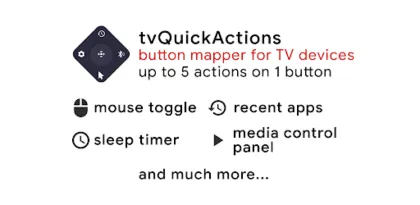
tvQuickActions Pro tackles that problem by treating almost every remote button as programmable space. A single press can open an app, a double press can take a screenshot, and a long press can launch a sleep timer. One button can instead open a five-direction panel, turning the D-pad and OK key into five additional shortcuts. Advanced users can build menus, macros, HTTP requests, TCP commands, intents, ADB actions, and context-sensitive mappings.
That makes tvQuickActions Pro much more than a basic button mapper. It can function as a dock, recent-app switcher, media panel, mouse substitute, night dimmer, Bluetooth manager, input selector, automation layer, or simplified control surface for less technical family members.
The tradeoff is complexity. Android TV and Google TV manufacturers handle remote keys, accessibility, overlays, power management, and system actions differently. A mapping that works instantly on one television may need ADB configuration on another or may be blocked completely by firmware. The app is powerful because it works close to the operating system, and that same proximity makes setup more demanding than an ordinary media app.

The Core Idea Is Simple and Excellent
The most useful starting point is “Usual action” mapping. Choose a physical button, then assign different functions to a single press, double press, and long press. A rarely used input, subtitle, color, mute, or branded service button can gain several purposes while preserving its original behavior on one gesture.
For example, a single press might open a preferred streaming app, a double press might return to the previous app, and a long press might show recent apps. This immediately makes a minimalist remote feel less constrained. The result is faster than navigating home-screen rows because muscle memory replaces visual search.
The app's signature tvQuickActions panel is even more flexible. Press the mapped button to display an overlay with five slots corresponding to Up, Left, Down, Right, and OK. Those slots can open apps or run almost any supported action. Pressing the original mapped key while the panel is visible can still perform the button's default function.
A single physical key therefore becomes a compact command center without requiring complicated click timing. The layout is particularly useful for households because five visible options are easier to remember than several invisible double- and long-press assignments.
Button Emulation is the third mapping type. It replaces a physical key event with another keycode and can reproduce held or repeated input. This helps when a volume key is damaged or when an unusual remote lacks an expected Android function. It is more technical and may require ADB acceleration or a supported input method, but it solves problems that ordinary app-launch shortcuts cannot.
Mappings Can Respond to Context
Simple mappings are only the beginning. tvQuickActions Pro supports constraints based on the foreground or background app, the remote being used, playback state, and HDMI state. A button can behave one way in YouTube, another way on the Google TV launcher, and retain its default behavior elsewhere.
This prevents shortcut collisions. A long press that opens subtitles in a media player could launch a system panel on the home screen. Playback-dependent actions can appear only while video is running. Homes with multiple remotes can assign different behavior to each controller, while HDMI conditions can make a shortcut relevant only when a console or receiver input is active.
Recent 2026 updates go further with button combinations and ordered sequences. That allows mappings to fire when several buttons are pressed together or when a defined sequence is entered. It increases the available command space without sacrificing useful single keys, although complicated combinations can be harder for family members to discover or repeat.
The safest approach is progressive. Begin with one obvious spare button and three familiar actions. Use the five-way panel only after the basic mapping proves reliable. Add app constraints last. A small system that everyone remembers is more valuable than dozens of clever automations that only the person who configured the television can use.

It Fills Important Gaps in Google TV
The built-in feature list addresses many annoyances common to television devices. The dock presents favorite apps in an overlay similar to a desktop or tablet launcher. Recent Apps adds a switcher even on hardware whose stock interface omits one, and supported configurations can close running apps. Previous App makes alternating between two services much faster.
The media control panel collects play, pause, stop, track, and seek functions in one place. This is useful with remotes that omit dedicated playback keys. The Bluetooth manager reduces the steps needed to connect headphones, while the TV Input action can jump to a selected source on compatible televisions.
Mouse mode provides pointer control for sideloaded applications that were designed for touchscreens. It cannot make a poorly adapted phone app comfortable on a television, but it may turn an otherwise unreachable dialog into something usable. A dialpad serves apps or services that expect numeric input.
Sleep Timer and Night Mode are practical quality-of-life features. A sleep timer is surprisingly inconsistent across streaming boxes, and screen dimming can make nighttime viewing more comfortable. Clock, weather, and system-information overlays add glanceable information without returning to the launcher.
Screen recording and screenshots help with tutorials or troubleshooting. Google Play says screenshots require Android 9 or newer, while recording behavior may depend on device security and protected video. Streaming services can intentionally block capture, so a black recording does not necessarily mean tvQuickActions is broken.
Some features depend on hardware. Auto Frame Rate is advertised for Amlogic devices running Android 9–11, not as a universal television capability. Input switching requires system support. App termination, power commands, and deeper settings can be restricted by manufacturer firmware. The app exposes possibilities; it cannot override every vendor decision.
Setup Requires Trust and Patience
Initial setup asks for privileges that would look excessive in a normal streaming app. “Display over other apps” is needed for panels, docks, and other overlays. Usage Access supports recent-app information and conditions based on the foreground application. Disabling battery optimization is recommended so the service is not silently stopped.
Historically, Accessibility Service was the central requirement for reading and blocking remote key events. The current Google Play description explains this use, and the official quick-start guide still teaches accessibility-based setup. The September 2026 release notes say almost all features can now work without accessibility by using Special Device Remapping through ADB. That gives advanced users another route, but it does not make configuration permission-free.
Accessibility access is powerful. A service may observe interface events and perform actions on the user's behalf, so it should only be granted to software the owner trusts. Google Play's developer-provided Data Safety panel says the app shares no data with third parties and collects no data. The official privacy policy similarly deserves review before activation, especially on a shared household device.
Grant only the capabilities needed for the intended setup. A user who wants three simple shortcuts may not require every ADB option, web request, or automation permission. If the television is managed by an employer, hotel, school, or another person, do not enable administrative features without authorization.
The instructions are detailed, but television settings menus vary. “Special app access” may appear under Apps, Security, Privacy, or a manufacturer-specific section. Some remotes cannot be detected through the default method. The developer explicitly warns that universal behavior is impossible across every device and provides documentation, email, and community support.
ADB Unlocks More Power—and More Ways to Break Things
Android Debug Bridge support is where tvQuickActions Pro moves from enthusiast utility to automation platform. Depending on the device, ADB can improve button detection, emulate keys, support mouse behavior, close apps, repair permissions, or run user-defined shell commands. Special Device Remapping can capture keys that normal accessibility mapping cannot reliably intercept, including certain branded or power buttons.
Recent versions also provide a web interface for editing mappings, custom actions, and macros. Configuration from a laptop or phone is more comfortable than entering long commands with a TV remote. Backup tools are essential once the setup becomes sophisticated.
ADB should not be enabled casually. Wireless debugging exposes a control channel on the local network, and shell commands can alter settings, stop packages, or produce behavior the app cannot automatically reverse. Use the official instructions, approve only known devices, avoid copying unexplained commands from forums, and disable network debugging when setup is complete if the chosen configuration permits it.
Custom HTTP and TCP actions can control receivers, smart-home systems, or other network devices. They are extremely useful for a “watch movie” macro that changes an input, opens an app, and adjusts another component. Credentials or tokens embedded in requests must be treated as sensitive. Prefer local, authenticated endpoints and never publish a backup containing private URLs.
Macros now support variables and if/else conditions, giving advanced users genuine logic rather than fixed action chains. This can reduce redundant mappings but also makes troubleshooting harder. Test each action independently before combining it, add short delays where device state changes, and keep a recovery route that does not depend on the automation being repaired.

Compatibility Is the Biggest Variable
tvQuickActions Pro supports Android TV, Google TV, and AOSP-based devices, but that statement should not be read as a guarantee that every action works everywhere. Remote firmware may deliver a branded button directly to a manufacturer app before third-party software can intercept it. System updates can change key handling, overlays, background limits, and debugging behavior.
Netflix and other branded buttons are a common reason to buy a mapper. The Play listing specifically mentions support on selected Xiaomi and TiVo hardware and more general app-button support on devices such as Xiaomi Mi Stick 4K. Other models can behave differently. A television may open its original service briefly, block the replacement entirely, or require the ADB remapping mode.
Power buttons are especially difficult because they may be handled below Android or switch off the hardware before software sees the event. Volume can be routed through the television, Bluetooth device, HDMI-CEC receiver, or Android audio manager. No review can promise a particular mapping without the exact television, streaming box, remote, OS build, and audio path.
Google Play currently shows a strong rating and more than 50,000 downloads, but user reviews also mention setup effort and occasional panels that remain stuck onscreen. A reboot or service restart may be necessary when an overlay fails. Battery optimization exclusions and firmware updates can improve or disrupt reliability.
Before paying, check the free version where available, read the official Free vs Pro comparison, and search the documentation for the specific feature and device. Google Play pricing varies by country; the US listing showed $3.99 when reviewed. A low price does not eliminate the need to confirm that the one required branded button can actually be intercepted.
Daily Use Is Fast Once Configuration Is Finished
The main interface prioritizes function over polish. It presents many categories, toggles, action types, and device-specific options. That density is intimidating during setup but appropriate for a utility whose purpose is precise control. The on-TV menus generally remain navigable with a D-pad.
Once mappings are stable, the configuration interface mostly disappears. A well-designed shortcut feels native because the result occurs immediately from the physical remote. The best compliment for this type of app is that household members forget it is installed and simply expect the button to work.
Panels can be customized with icons, labels, and colors, helping actions remain legible at viewing distance. Do not pack small text or visually similar symbols into a crowded menu. Test readability from the actual sofa rather than while standing near the screen.
Backup after each major setup milestone. The official documentation supports saving mappings and broader backup options, which matters when replacing a television, resetting a box, or experimenting with ADB. Store the backup securely if it contains network actions, intents, or automation details.
If something stops working after an OS update, first confirm permissions, battery settings, overlay access, and service status. Test a basic app-opening action before diagnosing the macro. Then check ADB connectivity or key detection. Rebuilding everything immediately makes the real failure harder to identify.
A Practical Starter Configuration
Choose a button that is genuinely expendable and confirm its normal behavior. Create a Usual Action mapping that preserves the default function on single press, opens Recent Apps on double press, and shows the Sleep Timer on long press. Use this for several days to verify that single and double presses are distinguished reliably.
Next, assign a second button to a five-way panel. Put the most common app at Up, system settings at Down, Bluetooth manager at Left, media controls at Right, and Previous App on OK. These positions have simple spatial meaning and are easy to explain.
Enable an app-specific constraint only when a global mapping causes a real conflict. For example, let a media key retain its player behavior while video is active but open a shortcut panel from the launcher. Avoid remapping Back, Home, Power, and both volume keys simultaneously until an alternative recovery method is proven.
Finally, create a backup and write down any ADB steps. A future update or factory reset should not require reconstructing undocumented commands from memory. If another household member depends on the television, show them how to disable the mapping or reach normal settings.

Privacy and Security Assessment
The app's stated privacy position is reassuring: Google Play reports no collected or shared data. That does not make powerful permissions meaningless. Accessibility, usage access, overlays, debugging, network requests, and shell actions expand what the app can observe or control locally, even when information is not uploaded.
Security therefore depends partly on user configuration. Installing from the official Google Play listing, keeping the app updated, restricting ADB pairing, reviewing custom commands, and protecting backups are more important than they would be for a simple video player. Avoid unofficial modified APKs; a tampered button mapper with accessibility or debugging access would be particularly dangerous.
The app was updated on September 14, 2026 when reviewed, with new conditional macros, a web configuration interface, button combinations and sequences, TCP commands, and expanded Special Device Remapping. Active development is a strength, though every major feature addition deserves careful testing before it controls power, inputs, or network equipment.
Who Should Buy It?
tvQuickActions Pro is ideal for Android TV enthusiasts frustrated by wasted remote buttons, missing recent apps, buried inputs, absent sleep timers, or repetitive settings navigation. It offers unusual value for users with multiple media services, Bluetooth headphones, receivers, smart-home endpoints, or sideloaded apps.
It can also simplify a television for other people. One visible panel with five carefully labeled actions may be easier for an older family member than a home screen full of recommendations. The person configuring it must resist exposing the underlying complexity.
It is a poor choice for someone who expects guaranteed one-tap setup across every television. Users uncomfortable granting special access, troubleshooting firmware differences, or learning basic ADB should stay with simple mappings—or use the free edition to establish compatibility first.

Verdict
tvQuickActions Pro is one of the rare television utilities that can fundamentally improve daily interaction with Google TV or Android TV. Single, double, and long presses multiply a remote's usefulness, while the five-way panel turns one key into a clean shortcut hub. Docks, recent apps, media controls, mouse mode, Bluetooth tools, input switching, macros, conditions, and network actions provide remarkable depth.
That depth comes with real qualifications. Compatibility varies by manufacturer, important permissions require trust, and the best features may demand ADB knowledge. A branded button or power action that works on one box may remain inaccessible on another. Configuration can take far longer than installation.
Start small, test the exact device, preserve recovery controls, and back up a stable setup. With that discipline, tvQuickActions Pro can make an inadequate remote feel purpose-built—and justify its modest one-time price within minutes of everyday use.
Rating: 8.8/10
Reviewed using the Google Play listing and official tvQuickActions documentation available in October 2026. Features, pricing, permissions, and device compatibility can change with app, firmware, and Android updates.


