

Mercator Projector - direct & inverse solution of UTM Projection
Rating
Mar 21, 2016Latest update
1.1Version
About Mercator Projector - direct & inverse solution of UTM Projection
The Universal Transverse Mercator coordinate system was developed by the United States Army Corps of Engineers in the 1940s. The system was based on an ellipsoidal model of Earth. For areas within the contiguous United States the Clarke Ellipsoid of 1866 was used. For the remaining areas of Earth, including Hawaii, the International Ellipsoid was used. The WGS84 ellipsoid is now generally used to model the Earth in the UTM coordinate system, which means current UTM northing at a given point can be 200+ meters different from the old. For different geographic regions, other datum systems (e.g.: ED50, NAD83) can be used.
Prior to the development of the Universal Transverse Mercator coordinate system, several European nations demonstrated the utility of grid-based conformal maps by mapping their territory during the interwar period. Calculating the distance between two points on these maps could be performed more easily in the field (using the Pythagorean theorem) than was possible using the trigonometric formulas required under the graticule-based system of latitude and longitude. In the post-war years, these concepts were extended into the Universal Transverse Mercator / Universal Polar Stereographic (UTM/UPS) coordinate system, which is a global (or universal) system of grid-based maps.
[UTM zone]
Simplified view of US UTM zones, projected with Lambert conformal conic.
The UTM system divides the Earth between 80°S and 84°N latitude into 60 zones, each 6° of longitude in width. Zone 1 covers longitude 180° to 174° W; zone numbering increases eastward to zone 60, which covers longitude 174° to 180° E.
Each of the 60 zones uses a transverse Mercator projection that can map a region of large north-south extent with low distortion. By using narrow zones of 6° of longitude (up to 800 km) in width, and reducing the scale factor along the central meridian to 0.9996 (a reduction of 1:2500), the amount of distortion is held below 1 part in 1,000 inside each zone. Distortion of scale increases to 1.0010 at the zone boundaries along the equator.
In each zone the scale factor of the central meridian reduces the diameter of the transverse cylinder to produce a secant projection with two standard lines, or lines of true scale, about 180 km on each side of, and about parallel to, the central meridian (Arc cos 0.9996 = 1.62° at the Equator). The scale is less than 1 inside the standard lines and greater than 1 outside them, but the overall distortion is minimized.
[Features]
1) support direct and inverse solution of UTM Projection.
2) support several types of reference ellipsoid.
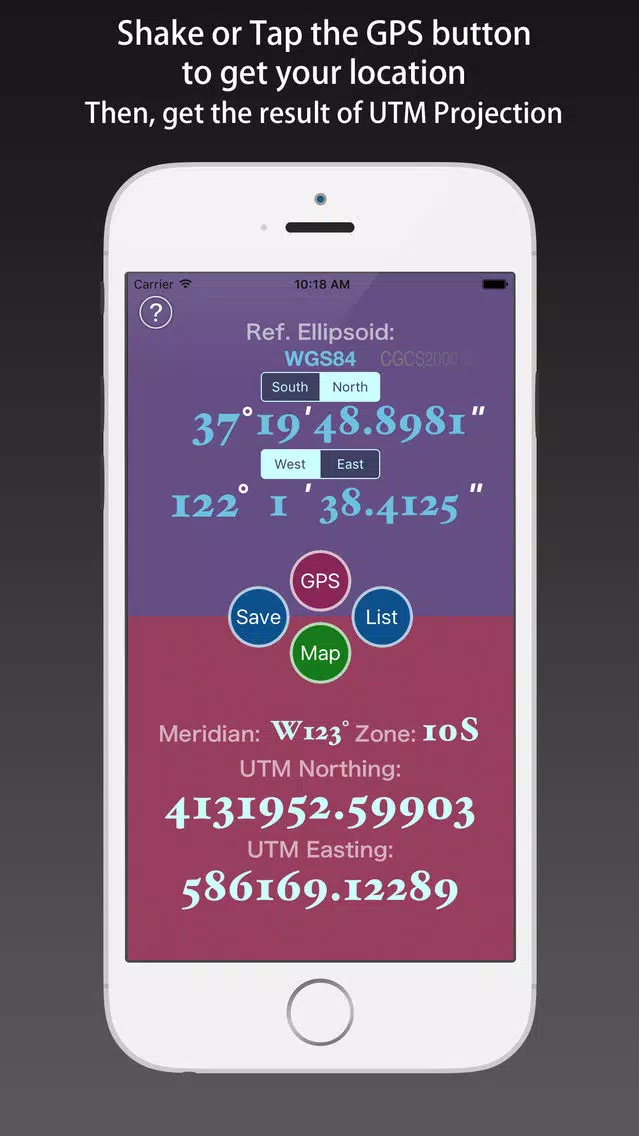
3) support using GPS to get the location, and transform it to UTM coordinate.
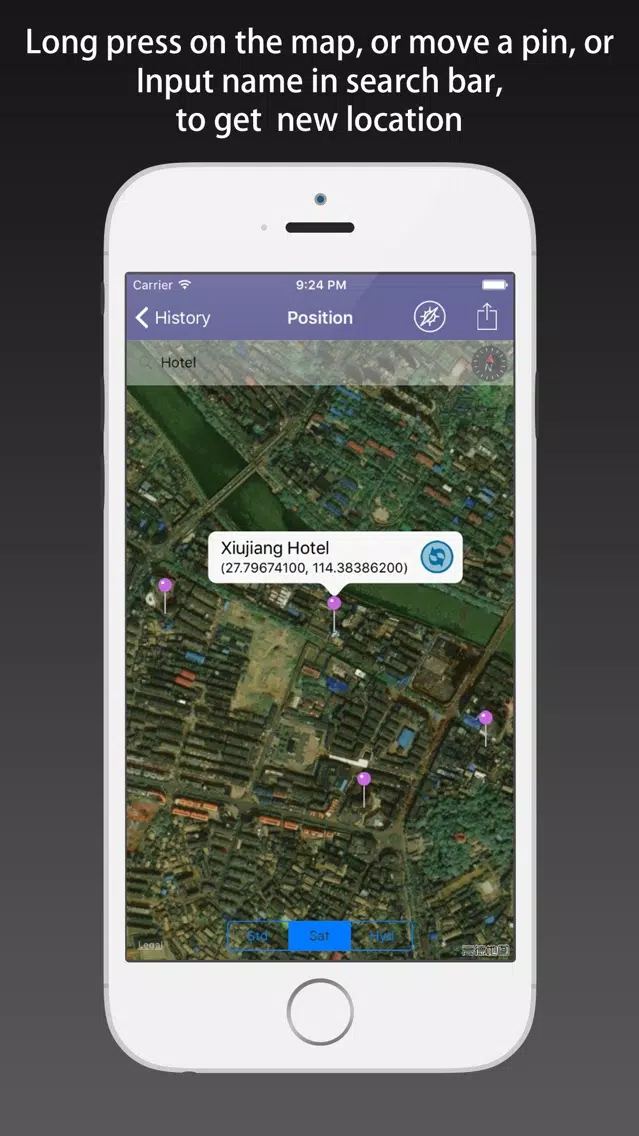
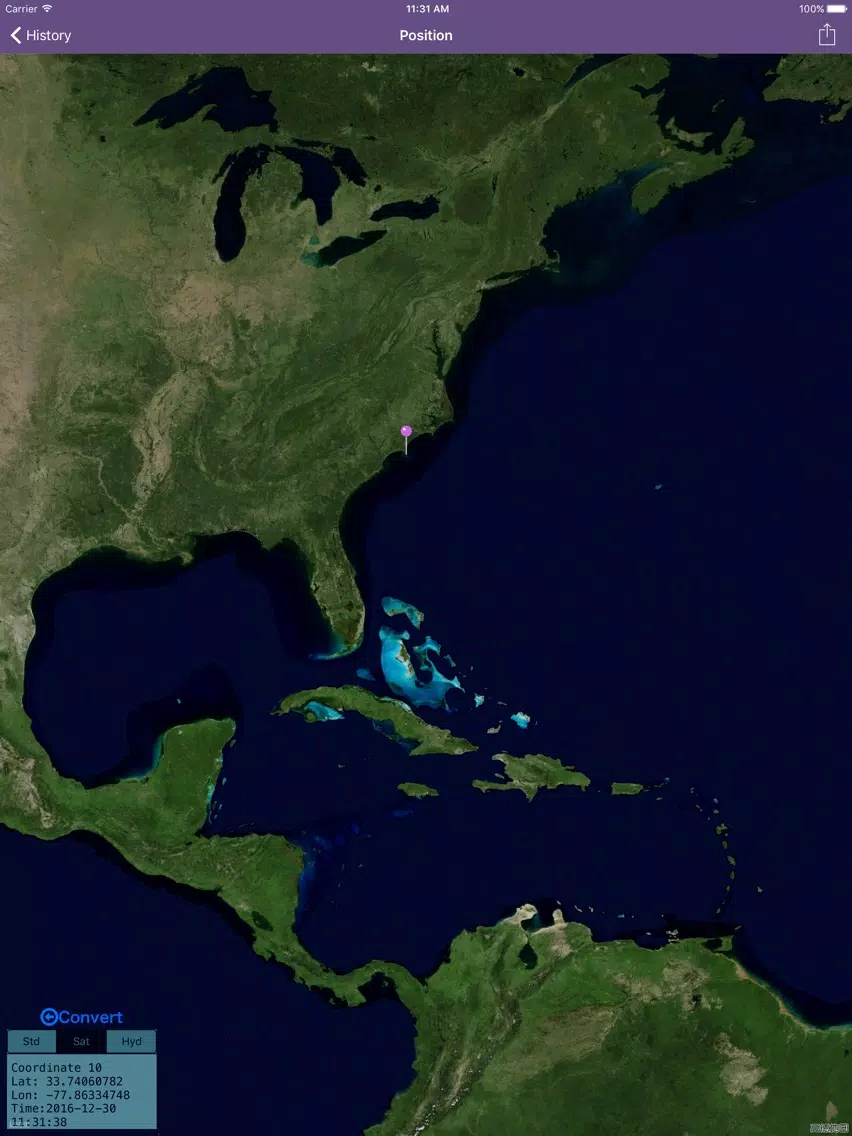
4) support moving the pin on the map to obtain the latitude and longitude of the location, and transform them.
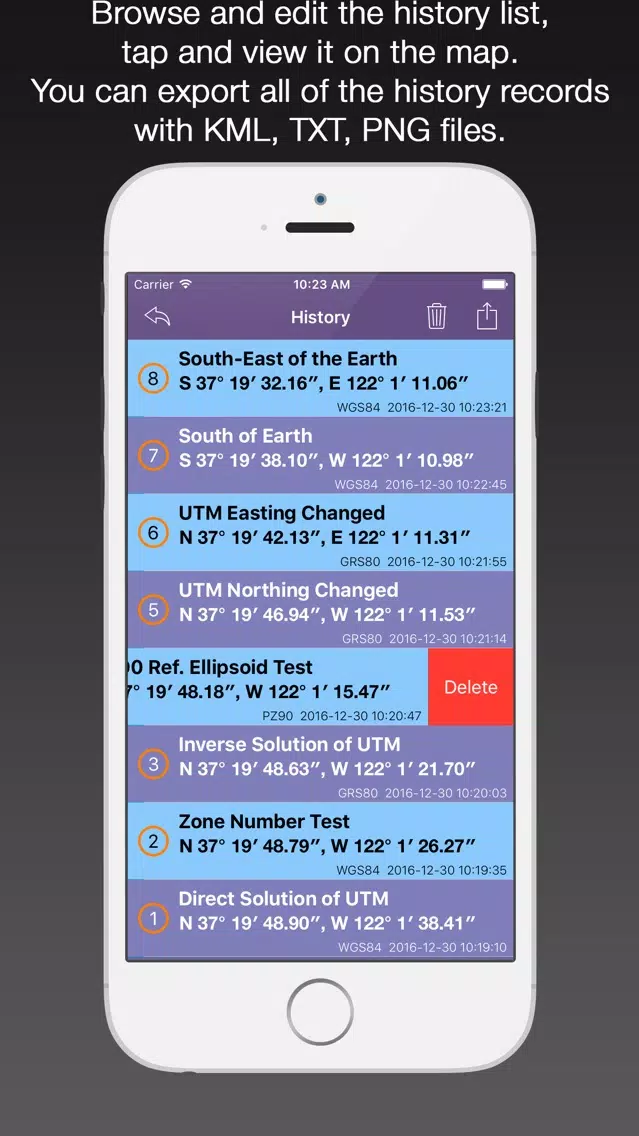
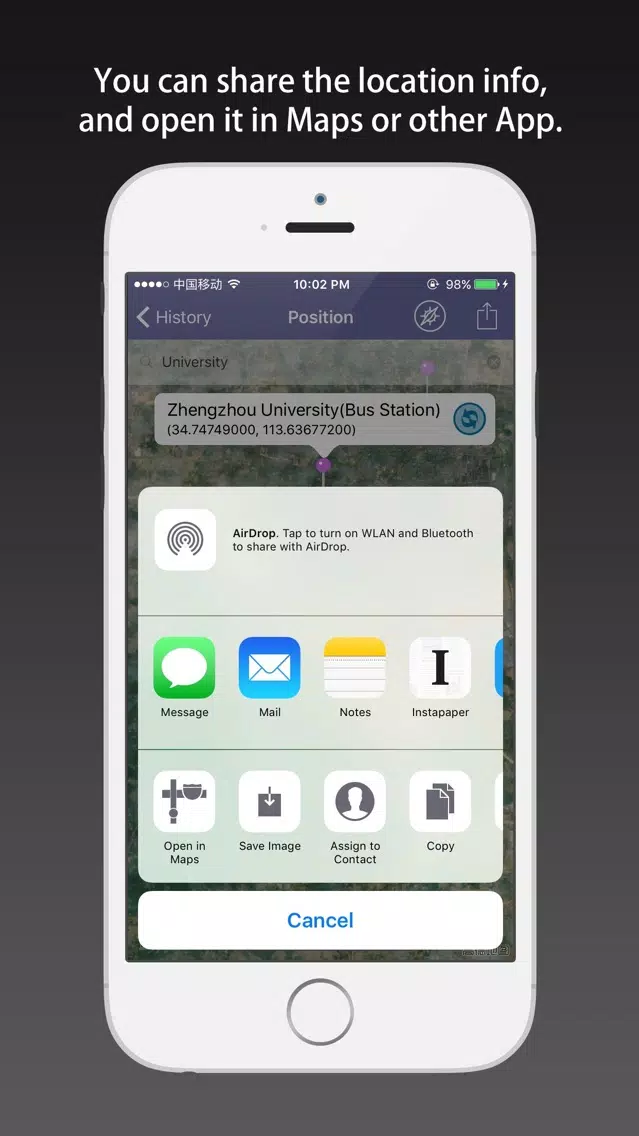
5) support saving the UTM projection results, and the history records can be viewed, deleted, cleaned up, and shared.
6) Every the historical record can be shown on the map, and each of them can be reduced again.
[Location Input Method]
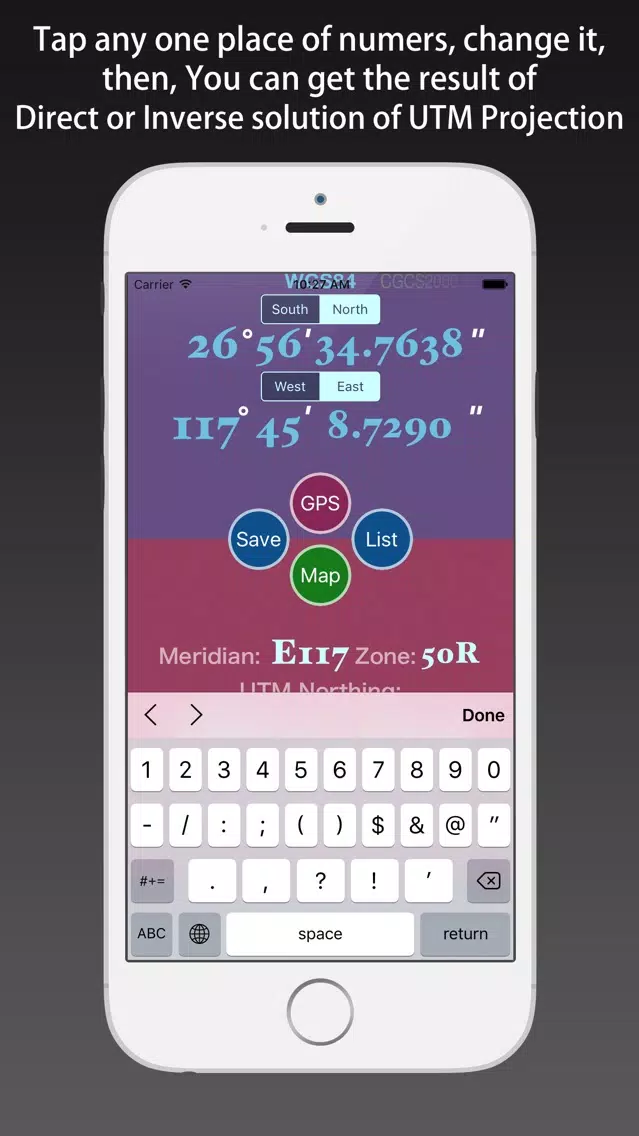
1) using the keyboard input by hand.
2) using the GPS positioning.
3) moving the pin on the map.
4) shake your iOS device.
[Instructions]
Direct solution of the UTM Projection:
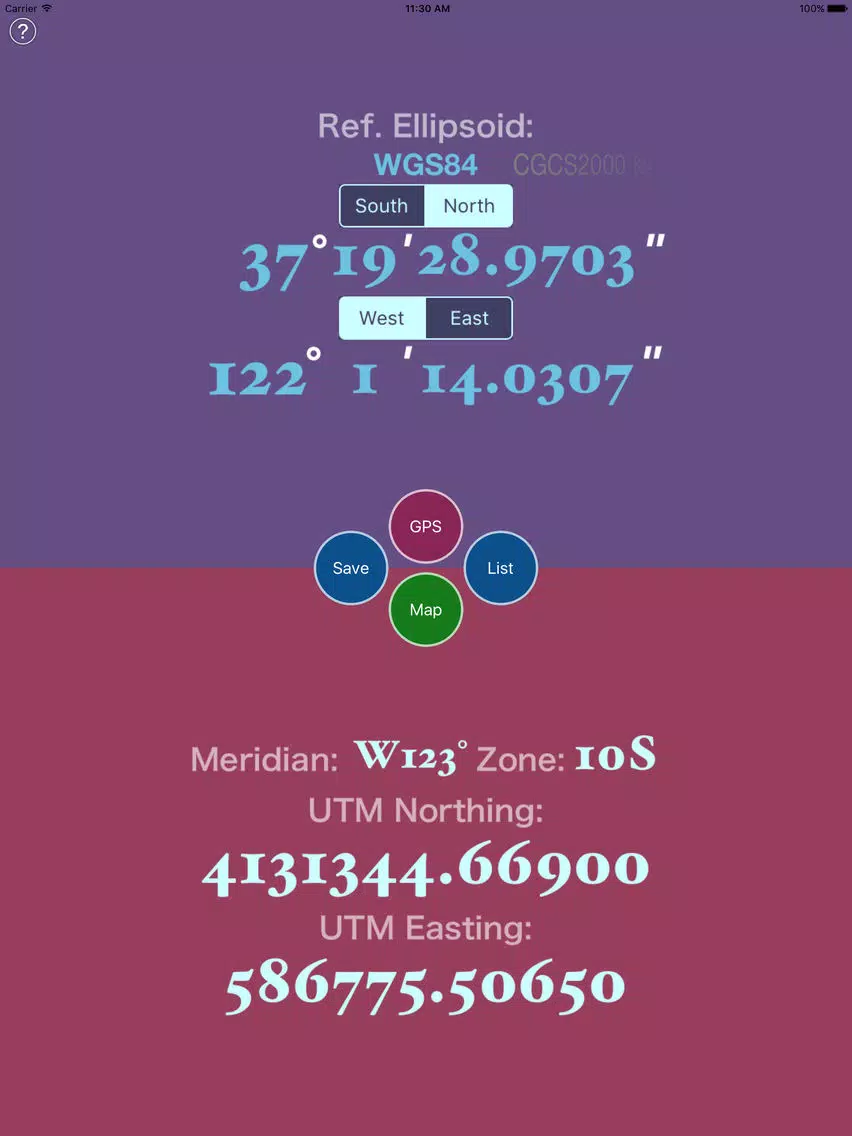
1) Select the Reference Ellipsoid.
2) Tap the “GPS” button to get the location.
3) Or Input the location using keyboard.
4) Inputed the number, tap the “Done” button, then you can get the UTM Coordinate.
Inverse solution of the UTM Projection:
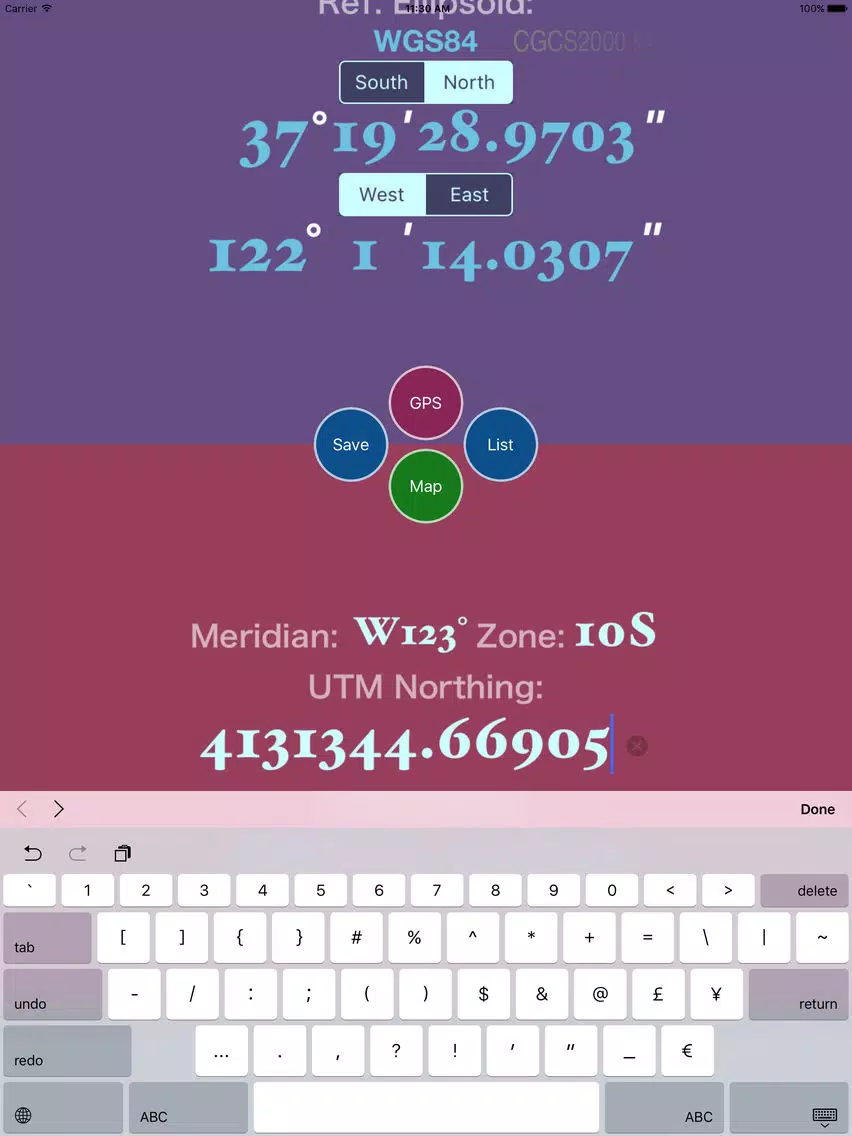
1) Select the Reference Ellipsoid.
2) Input the zone number.
3) Input the UTM Coordinate components (Northing, Easting).
4) Inputed the number, tap the “Done” button, then you can get the Geodetic Coordinate.
Prior to the development of the Universal Transverse Mercator coordinate system, several European nations demonstrated the utility of grid-based conformal maps by mapping their territory during the interwar period. Calculating the distance between two points on these maps could be performed more easily in the field (using the Pythagorean theorem) than was possible using the trigonometric formulas required under the graticule-based system of latitude and longitude. In the post-war years, these concepts were extended into the Universal Transverse Mercator / Universal Polar Stereographic (UTM/UPS) coordinate system, which is a global (or universal) system of grid-based maps.
[UTM zone]
Simplified view of US UTM zones, projected with Lambert conformal conic.
The UTM system divides the Earth between 80°S and 84°N latitude into 60 zones, each 6° of longitude in width. Zone 1 covers longitude 180° to 174° W; zone numbering increases eastward to zone 60, which covers longitude 174° to 180° E.
Each of the 60 zones uses a transverse Mercator projection that can map a region of large north-south extent with low distortion. By using narrow zones of 6° of longitude (up to 800 km) in width, and reducing the scale factor along the central meridian to 0.9996 (a reduction of 1:2500), the amount of distortion is held below 1 part in 1,000 inside each zone. Distortion of scale increases to 1.0010 at the zone boundaries along the equator.
In each zone the scale factor of the central meridian reduces the diameter of the transverse cylinder to produce a secant projection with two standard lines, or lines of true scale, about 180 km on each side of, and about parallel to, the central meridian (Arc cos 0.9996 = 1.62° at the Equator). The scale is less than 1 inside the standard lines and greater than 1 outside them, but the overall distortion is minimized.
[Features]
1) support direct and inverse solution of UTM Projection.
2) support several types of reference ellipsoid.
3) support using GPS to get the location, and transform it to UTM coordinate.
4) support moving the pin on the map to obtain the latitude and longitude of the location, and transform them.
5) support saving the UTM projection results, and the history records can be viewed, deleted, cleaned up, and shared.
6) Every the historical record can be shown on the map, and each of them can be reduced again.
[Location Input Method]
1) using the keyboard input by hand.
2) using the GPS positioning.
3) moving the pin on the map.
4) shake your iOS device.
[Instructions]
Direct solution of the UTM Projection:
1) Select the Reference Ellipsoid.
2) Tap the “GPS” button to get the location.
3) Or Input the location using keyboard.
4) Inputed the number, tap the “Done” button, then you can get the UTM Coordinate.
Inverse solution of the UTM Projection:
1) Select the Reference Ellipsoid.
2) Input the zone number.
3) Input the UTM Coordinate components (Northing, Easting).
4) Inputed the number, tap the “Done” button, then you can get the Geodetic Coordinate.
Mercator Projector - direct & inverse solution of UTM Projection Screenshots
Mercator Projector - direct & inverse solution of UTM Projection iPad Screenshots

Editor's Recommendation
 Canva: AI Photo & Video Editor
 Proton VPN: Fast & Secure
 Booking.com: Hotels & Travel
 Too Good To Go: End Food Waste
 Waze Navigation & Live Traffic
 Stellarium Mobile - Star Map
 Ticketmaster-Buy, Sell Tickets
 Bolt: Request a Ride
 Life360: Find Friends & Family
 GetYourGuide: Travel & Tickets
 Sky Guide
 Doctolib - Your health partner
Apps Like Mercator Projector - direct & inverse solution of UTM Projection
 Mercator Projector - direct & inverse solution of UTM Projection
 Gauss Projector - Gauss-Kruger Projection
 Projector by Projector PSA
 Midknight Mercator
 Mercator Adventure
 Stiftung Mercator Events
 Mercator Smart
 Mercator Ikuu
 Mercator Pro
 Mercator | Frequent traveler app
 Flappy Annoying Sheep : Inverse World
 Inverse - Shape Physics Game
Apps by Jian Li


Mercator Projector - direct & inverse solution of UTM Projection FAQ
How do I download Mercator Projector - direct & inverse solution of UTM Projection from PGYER IPA HUB?
Is the Mercator Projector - direct & inverse solution of UTM Projection on PGYER IPA HUB free to download?
Do I need an account to download Mercator Projector - direct & inverse solution of UTM Projection from PGYER IPA HUB?
How can I report a problem with Mercator Projector - direct & inverse solution of UTM Projection on PGYER IPA HUB?
Did you find this helpfull
Yes
No
Most Popular

ChatGPTIntroducing ChatGPT for iOS: OpenAI’s latest advancements at your fingertips.
This official app is f

Google GeminiThe Google Gemini app is an AI assistant that can help supercharge your creativity and productivity.

Claude by AnthropicGet free access to the newly upgraded Claude 3.5 Sonnet – Anthropic's most advanced model yet. Wheth

GoogleDownload the Google app to stay in the know about things that matter to you. Try AI Overviews, find

CapCut - Video EditorCapCut is a free all-in-one video editing app that helps you create incredible videos.
「Easy to use」

Shop: All your favorite brandsElevate every shopping moment
Shop, track, and explore the latest trends in an all-in-one shopping

Google MapsNavigate your world faster and easier with Google Maps. Over 220 countries and territories mapped an

Uber - Request a rideJoin the millions of riders who trust Uber for their everyday travel needs. Whether you’re running a

ThreadsSay more with Threads — Instagram’s text-based conversation app.
Threads is where communities come t

Gmail - Email by GoogleThe official Gmail app brings the best of Gmail to your iPhone or iPad with robust security, real-ti

TikTokTikTok is THE destination for mobile videos. On TikTok, short-form videos are exciting, spontaneous,

WhatsApp MessengerWhatsApp from Meta is a FREE messaging and video calling app. It’s used by over 2B people in more th

InstagramLittle moments lead to big friendships. Share yours on Instagram.
— From Meta
Connect with friends,

Netflix Game ControllerPlay games on your TV with the Netflix Game Controller.
This app connects to your TV and allows you

AirbnbTHE FASTEST, EASIEST WAY TO AIRBNB
Find inspiration, plan a trip with your group, book it, and go. Y

Telegram MessengerPure instant messaging — simple, fast, secure, and synced across all your devices. One of the top 5

Spotify - Music and PodcastsWith the Spotify music and podcast app, you can play millions of songs, albums and original podcasts

DramawaveDramawave - Stream Endless Drama Shorts, Anytime, Anywhere
Welcome to Dramawave the ultimate destina

Whatnot - Live Video ShoppingWhatnot is a social marketplace where you can discover some of your favorite products like sports ca

Google ChromeDownload the new Google Chrome for your iPhone and iPad. Now more simple, secure and faster than eve

FacebookWhere real people propel your curiosity. Whether you’re thrifting gear, showing a reel to that group

XThe X app is the trusted global digital town square for everyone.
With X, you can:
Post content for

Indeed Job SearchDiscover your next job opportunity on Indeed, the free job search app designed to connect you with b

Duolingo - Language LessonsLearn a new language with the world’s most-downloaded education app! Duolingo is the fun, free app f