

TV Cast for Samsung TV
4.6Rating
Jul 10, 2024Latest update
2.27Version
About TV Cast for Samsung TV
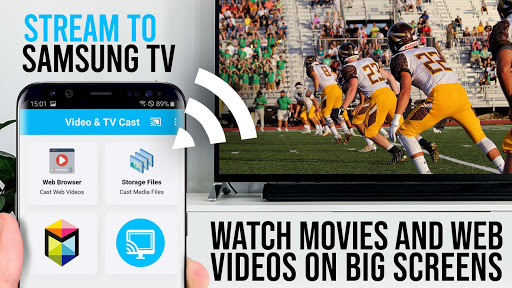
Upgrade your Samsung Smart TV and Blu-ray Player to watch webvideos, online movies, livestreams and live-tv shows directly on your biggest screen with the no#1 web video streamer. No additional streaming box required. Mp4, m3u8, hls livestreams, video over https and of course Full HD are supported.
*** This app works with all Samsung Smart TV models from 2010 (C series) to 2017 (new M/MU/Q series) and Blu-ray Player with Smart Hub or VEWD (formerly Opera TV) ***
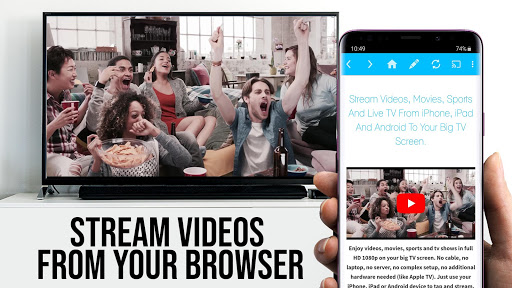
With Video & TV Cast you can browse through the web and stream or cast the World Cup or any video you want on your Samsung TV and Blu-ray Player. Just navigate to your favorite website and send the embedded video with a single tap to your Samsung TV / Blu-ray Player. The discovered video will be shown below the browser. A tap on the video link will send it to your Samsung TV / Blu-ray Player immediately.
>>> IMPORTANT NOTES, PLEASE READ
* To enable video casting please open the Samsung App Store on your TV or Blu-ray Player, browse to the videos category and install the free 'TV Cast' companion app.
* Please enter the ip-address of your Android device by using the number pad and up/down/left/right keys on your Samsung Remote.
* NOT SUPPORTED Videos: Flash video, Google Play movies, Netflix, Amazon and HBO and other DRM protected videos web-videos, online-movies, livestreams and live-tv shows.
* Please test your websites and videos in the free edition! If casting fails, upgrading will NOT make it work magically.
* The app does NOT mirror your full Android device, it just pushes the video part of a website to your Samsung TV or Blu-ray Player.
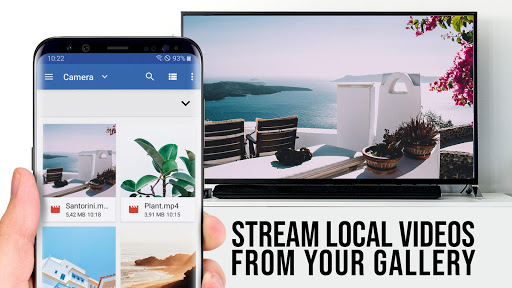
* To play mp4, m3u8 or other videofiles directly on Samsung TV or Blu-ray Player just enter or paste the full video-url in the browser address bar.
* Sometimes it is necessary to play the video on your Android device before the link gets detected for casting.
* If the connection does not work, please try to restart your Android device, Samsung TV / Blu-ray Player and wifi router.
* If a specific web-video, online-movie, livestream or live-tv show does not cast, please check our FAQ or send the website and video link to info@video-tv-cast.com by using the report feature in the app. We will try to add support for your video as soon as possible. Leaving negative Play Store reviews without any information about your issue will not give us a chance to help you.
* Security Note: For your safety Video & TV cast only needs minimal Android permissions to work. Unlike others we do NOT access your identity data, accounts, device id, phone status, gps location or contacts. Please always check the required app permissions before you trust and install any Android app.
* Refunds: Only within 24 hours after purchase. Please submit the Google Purchase ID.
>>> QUICK START GUIDE
1) Launch the free receiver app 'TV Cast' on the Samsung Smart Hub or VEWD (formerly Opera TV). You can find it in the videos category or by search for 'TV Cast'.
2) Open Video & TV Cast on your Android device, tap on the connect button and get your ip address.
3) Enter the ip address in the TV app.
4) Start casting by pressing "tap here to cast".
5) Enjoy your web-video, online-movie, livestream or live-tv show and share our app on Twitter or Facebook :)
>>> A MESSAGE FROM THE DEVELOPERS
If you have suggestions or discover any problems with Video & TV Cast, please let us know at info@video-tv-cast.com. We will help you as soon as we can.
If you like the app, please support us by giving a 5-star rating on Google Play or purchasing one of the addons. Thank you for all your support!
Disclaimer: This app is not affiliated with Samsung or any other trademark mentioned here.
*** This app works with all Samsung Smart TV models from 2010 (C series) to 2017 (new M/MU/Q series) and Blu-ray Player with Smart Hub or VEWD (formerly Opera TV) ***
With Video & TV Cast you can browse through the web and stream or cast the World Cup or any video you want on your Samsung TV and Blu-ray Player. Just navigate to your favorite website and send the embedded video with a single tap to your Samsung TV / Blu-ray Player. The discovered video will be shown below the browser. A tap on the video link will send it to your Samsung TV / Blu-ray Player immediately.
>>> IMPORTANT NOTES, PLEASE READ
* To enable video casting please open the Samsung App Store on your TV or Blu-ray Player, browse to the videos category and install the free 'TV Cast' companion app.
* Please enter the ip-address of your Android device by using the number pad and up/down/left/right keys on your Samsung Remote.
* NOT SUPPORTED Videos: Flash video, Google Play movies, Netflix, Amazon and HBO and other DRM protected videos web-videos, online-movies, livestreams and live-tv shows.
* Please test your websites and videos in the free edition! If casting fails, upgrading will NOT make it work magically.
* The app does NOT mirror your full Android device, it just pushes the video part of a website to your Samsung TV or Blu-ray Player.
* To play mp4, m3u8 or other videofiles directly on Samsung TV or Blu-ray Player just enter or paste the full video-url in the browser address bar.
* Sometimes it is necessary to play the video on your Android device before the link gets detected for casting.
* If the connection does not work, please try to restart your Android device, Samsung TV / Blu-ray Player and wifi router.
* If a specific web-video, online-movie, livestream or live-tv show does not cast, please check our FAQ or send the website and video link to info@video-tv-cast.com by using the report feature in the app. We will try to add support for your video as soon as possible. Leaving negative Play Store reviews without any information about your issue will not give us a chance to help you.
* Security Note: For your safety Video & TV cast only needs minimal Android permissions to work. Unlike others we do NOT access your identity data, accounts, device id, phone status, gps location or contacts. Please always check the required app permissions before you trust and install any Android app.
* Refunds: Only within 24 hours after purchase. Please submit the Google Purchase ID.
>>> QUICK START GUIDE
1) Launch the free receiver app 'TV Cast' on the Samsung Smart Hub or VEWD (formerly Opera TV). You can find it in the videos category or by search for 'TV Cast'.
2) Open Video & TV Cast on your Android device, tap on the connect button and get your ip address.
3) Enter the ip address in the TV app.
4) Start casting by pressing "tap here to cast".
5) Enjoy your web-video, online-movie, livestream or live-tv show and share our app on Twitter or Facebook :)
>>> A MESSAGE FROM THE DEVELOPERS
If you have suggestions or discover any problems with Video & TV Cast, please let us know at info@video-tv-cast.com. We will help you as soon as we can.
If you like the app, please support us by giving a 5-star rating on Google Play or purchasing one of the addons. Thank you for all your support!
Disclaimer: This app is not affiliated with Samsung or any other trademark mentioned here.
TV Cast for Samsung TV Screenshots
Old Versions of TV Cast for Samsung TV





Apps Like TV Cast for Samsung TV
 Order HUB (FÖR RESTAURANGER)4.7
 Samsung Wallet (Samsung Pay)4.8
 TV Cast for Samsung TV4.6
 Cast to TV, Chromecast TV Cast4.9
 Box Cast - Cast to TV4.9
 Cast for Chromecast: TV Cast4.8
 Cast to TV & Web Video Cast4.7
 Cast for Chromecast & TV Cast4.6
 Cast for Chromecast & TV Cast4.9
 TV Cast - Cast for Chromecast4.9
 Crystal for Samsung Internet4.0
 AdBlock for Samsung Internet4.6


TV Cast for Samsung TV FAQ
How do I download TV Cast for Samsung TV from PGYER APK HUB?
Is the TV Cast for Samsung TV on PGYER APK HUB free to download?
Do I need an account to download TV Cast for Samsung TV from PGYER APK HUB?
How can I report a problem with TV Cast for Samsung TV on PGYER APK HUB?
Did you find this helpfull
Yes
No
User Reviews
+ Reviews
4.6
5
4
3
2
1
S
Samuel
2025-02-01
10
0
TV Cast for Samsung TV is an incredible app that makes streaming to my Samsung TV a breeze. Highly recommended!
P
Patrick
2025-02-12
17
0
TV Cast for Samsung TV has transformed my viewing experience. The app is easy to use and works flawlessly.
C
Cassandra
2025-02-25
0
0
With TV Cast for Samsung TV, I can effortlessly stream content from my phone to my TV. It’s a must-have app!
Most Popular

Hyper
Hyper
4.9
Microsoft Word: Edit Documents
Microsoft Corporation
4.6
PRX XIT MOBILE PANEL
PRX XIT MOBILE PANEL - Comprehensive Overview
Introduction
Discover the PRX XIT MOBILE PANEL, a cutt
4.9
Mega888
Mega888 APK - Ultimate Gaming Experience at Your Fingertips
Overview:
Discover the thrilling world o
4.6
KOPLO77
KOPLO77 APK - Comprehensive Overview
Discover the vibrant world of KOPLO77, an innovative applicatio
4.6
LostLife
Lost Life APK Download and Guide
Today, we're exploring Lost Life, a popular 3D simulation horror ga
4.9
PLN Mobile
P L N
4.7
Aviator Predictor
Сергей Братухин
-
MiChat - Chat, Make Friends
MICHAT PTE. LIMITED
4.0
WEBTOON
NAVER WEBTOON
4.6
SuperFishing Casino- Slots 777
Joyous.games
4.6
ChatGPT
OpenAI
4.8
Svipbet.club
TippoParty
4.6
WePlay(ويبلاي) - Game & Chat
WEJOY Pte. Ltd.
4.6
HeeSay - Blued LIVE & Dating
iRainbow
4.1
Max: Stream HBO, TV, & Movies
WarnerMedia Global Digital Services, LLC
4.7
App Market
Oppo
4.6
ENUYGUN
WINGIE ENUYGUN GROUP
4.7
Naruto Senki
Naruto Senki APK is a mobile fighting game inspired by the popular Naruto anime and manga series. It
4.6
Game Booster VIP Lag Fix & GFX
TOLAN
4.8
999+ Gamebox
AyYıldız
4.8
BIGO LIVE Lite – Live Stream
Bigo Technology Pte. Ltd.
4.3
InstaGold
Assem Mahgoob
4.8
GTA 6
RICHIEMANMARIO ALT
3.2