
Proton VPN for Android Review 2026: The Free VPN With the Fewest Compromises

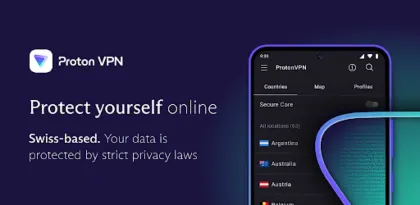

Proton VPN is one of the easiest VPN services to recommend without immediately adding an asterisk about data caps or advertising. Its free Android plan offers unlimited data, does not inject ads, uses the same core encryption standards as paid accounts, and is covered by Proton's no-logs policy. The app is open source, has undergone independent security review, and can be used without creating an account in its most accessible mode.
Paying expands the service dramatically. Proton advertises more than 20,000 servers across over 140 countries, faster routing, ten simultaneous devices, streaming support, P2P, NetShield filtering, Secure Core multi-hop connections, split tunneling, and priority support. The Android app supports modern WireGuard and censorship-resistant Stealth protocols, plus Android's operating-system kill switch.
The limits are equally important. A VPN is not invisibility. Websites can still identify a logged-in account, cookies and browser fingerprints remain, malware can steal information after decryption, and the VPN provider becomes a trusted intermediary. Performance depends on server distance, congestion, protocol, network quality, and device power. Proton VPN handles those trade-offs better than most free services, but it cannot remove them.

What a VPN Protects—and What It Does Not
When Proton VPN connects, Android routes selected network traffic through an encrypted tunnel to a Proton server. The local Wi-Fi operator and internet provider can generally see that a device is communicating with a VPN, but not the normal destination details inside that tunnel. Websites see the VPN server's public IP address rather than the user's usual public IP.
This is valuable on untrusted Wi-Fi, for reducing ISP visibility, for changing the apparent network location, and for getting around some local network restrictions. HTTPS already encrypts the contents of most modern web sessions, but a VPN adds protection for more device traffic and obscures destinations from the access network.
It does not make a named account anonymous. Signing into Google, a bank, or a social network tells that service who the user is. Cookies, advertising IDs, browser fingerprints, payment details, phone numbers, and behavior can connect sessions. A VPN also cannot make a fake website legitimate, repair an insecure password, stop a user from installing malware, or protect information once it reaches an endpoint.
The correct mental model is a protected route, not a disguise that defeats every form of observation. Proton's advantage is that it states a strong privacy policy for the point where encrypted traffic exits, uses open-source clients, and publishes audit and transparency material. Users still need to decide whether that trust model fits their threat.
The Free Plan Is Genuinely Useful
Most free VPNs monetize scarcity. They cap data, restrict sessions, cover the interface with ads, or collect information for another business model. Proton Free takes a different approach: unlimited time and bandwidth, no advertising, and no weaker privacy policy. Proton says it does not impose a general speed limit, although free servers may be more congested and excessive consumption may be managed to protect service quality.
Free users connect automatically within a limited selection of countries rather than choosing from the full paid network. Proton's current documentation lists free routing through countries including the United States, Netherlands, Japan, Romania, Poland, Singapore, Canada, Norway, and Mexico, but the exact set can change. Automatic selection reduces user control and can produce a distant exit with higher latency.
Streaming access is not guaranteed on Free. Proton says it does not deliberately block Netflix or other services, but formal streaming support belongs to paid plans. Free also omits advanced paid tools such as Secure Core, broader server selection, NetShield's complete filtering options, P2P support, and multiple simultaneous device connections.
For browsing on airport Wi-Fi, reading, messaging, and basic privacy, Free is exceptional. For a household that needs predictable country choice, television streaming, gaming latency, torrenting, or ten devices, it is a trial of Proton's quality rather than a complete substitute for Plus.
Connection Design Is Clear and Fast
The Android interface prioritizes a quick connection. A prominent button selects an appropriate server, while country and map views expose paid locations and load. Connection status, server identity, assigned IP, protocol, and session information are visible without overwhelming a newcomer.
Profiles allow recurring combinations of country, server type, and protocol to be saved. This is useful for switching between a nearby speed-focused route, a specific region, and a Secure Core connection. Recent servers reduce repeated navigation.
The app's visual design is polished, with strong contrast and clear connected/disconnected states. A discreet icon option can disguise the Proton VPN icon on the launcher, which may help users in sensitive environments. It should not be considered a guarantee against device inspection: app settings, VPN indicators, network configuration, or installed-package lists can still reveal it.
The Android status bar shows a key or VPN indicator while connected. This is an operating-system safety feature and should not be hidden. If that indicator disappears unexpectedly, the user should assume the tunnel may be down unless Android's kill switch is actively blocking traffic.

WireGuard, Stealth, and Protocol Choice
WireGuard is the best default for most Android users. It has a compact design, establishes connections quickly, and usually offers strong speed with lower overhead than older protocols. Proton's Smart selection can choose an appropriate protocol automatically, so manual changes are unnecessary when everything works.
Stealth is designed for networks that block or identify ordinary VPN traffic. It disguises the connection so it resembles more typical internet traffic. This can help on restrictive workplace, campus, hotel, or national networks, though no circumvention technique is guaranteed and local law or policy may apply.
OpenVPN remains familiar and widely compatible, but Proton's lifecycle documentation is moving parts of its protocol lineup toward newer options; availability differs by platform. IKEv2 has reached end-of-life on most supported platforms. Users should follow the app's current recommended protocol rather than copying old setup guides.
Switch protocols when a connection is unusually slow, repeatedly fails, or a network blocks one method. Do not assume that the theoretically fastest protocol will win on every carrier or router. Mobile handoffs, NAT behavior, firewalls, and packet loss can change results.
Android's Always-On VPN and Kill Switch
Always-on VPN tells Android to restore the Proton connection automatically. The kill switch, labeled by Android as blocking connections without the VPN, prevents other network traffic when the tunnel is unavailable. Together they reduce accidental leaks during Wi-Fi changes, app restarts, or temporary server failure.
On Android 7 and later, these controls live in the operating system. Proton's app opens the relevant VPN settings, where the user enables Always-on VPN and optionally “Block connections without VPN.” This distinction matters: merely installing the app or tapping Quick Connect once does not necessarily create permanent leak protection.
Blocking all traffic can also create confusing failures. If Proton cannot connect because a captive portal needs web login, the device may appear offline. Temporarily allowing the portal, signing in, and then reconnecting may be required. Trusted local devices such as printers, televisions, or file shares can also become unreachable depending on routing and LAN settings.
Test the configuration before relying on it. Connect, verify the displayed exit IP, change between Wi-Fi and mobile data, and confirm that traffic is blocked during a forced disconnect. Security features are valuable only when their behavior is understood.

Split Tunneling Solves Compatibility Problems
Some apps dislike VPNs. A local banking app may trigger additional verification, a printer needs direct LAN access, a game may suffer latency, or a streaming service may require the ordinary connection. Split tunneling routes selected apps or IP ranges differently.
On Android, Proton supports an exclude mode that sends chosen apps outside the VPN and an inverse mode that protects only chosen apps. IP addresses and CIDR ranges can also be configured. Changes require reconnection before they take effect.
This is a paid feature and introduces complexity. An excluded app exposes its traffic to the normal network and ISP, even while the status bar still shows a VPN for other apps. Background services shared between apps may not follow the simple boundary a user imagines.
Proton warns that split tunneling and kill switch are not generally compatible on most platforms. If Android forces the user to choose, decide whether availability or complete leak prevention matters more. For high-risk use, route everything through the tunnel and solve compatibility through another device or network rather than building a long exception list.
Secure Core Adds a Second Jurisdictional Hop
Secure Core routes traffic first through a hardened Proton-operated server in a privacy-friendly country before it exits through another VPN server. The design aims to reduce the risk that an exit server or its surrounding network is monitored or compromised.
The trade-off is performance. Two long routes add latency and can reduce throughput. Secure Core is useful for journalists, activists, researchers, or people facing targeted network surveillance. It is excessive for routine video streaming, app updates, or gaming, where the additional hop mainly makes the connection slower.
Multi-hop does not mean an attacker must “break three VPNs,” and it should not be described as a mathematical multiplier of security. The benefit is architectural separation: the entry sees the user's source but not the final destination, while the exit handles destination traffic without directly receiving the user's original IP through the same simple path.
Use Secure Core when the threat justifies the latency, not as a badge that remains permanently enabled.
NetShield Filters at the DNS Layer
NetShield can block domains associated with malware, ads, and trackers by filtering DNS requests through Proton's infrastructure. Because filtering happens at the connection level, it can help across multiple apps rather than only inside one browser.
It cannot remove every advertisement. First-party ads delivered from the same domain as desired content may remain, sponsored posts are not necessarily separate network requests, and cached or hard-coded content can bypass DNS filtering. A blocked tracker may also break login, payment, video, or analytics-dependent features.
When an app fails only with NetShield enabled, temporarily reduce the filtering level and test again. Do not permanently disable all protection because one site breaks; identify whether that service needs an exception or whether its design genuinely conflicts with DNS blocking.
NetShield complements browser content blockers and Android security features. It does not scan downloaded files like antivirus software or judge whether a page is truthful.

Speed, Latency, and Battery
Every VPN adds some overhead. Encryption consumes processing time, traffic travels through an extra server, and a distant country increases physical network distance. On a good nearby WireGuard server, the difference can be small. On a crowded free server or Secure Core route across continents, it can be obvious.
Measure more than download speed. Latency matters for calls, cloud gaming, competitive games, and remote desktops. Upload affects video meetings and backups. Jitter and packet loss can make a fast benchmark feel unstable. Run comparable tests on the same network with VPN off and on, then try several nearby servers.
Proton's VPN Accelerator uses routing and protocol techniques intended to improve throughput, especially over long-distance connections. Marketing claims of improvement describe favorable scenarios, not a guaranteed multiplier over the user's original connection.
Battery impact is normally modest with WireGuard but rises with unstable cellular coverage, frequent reconnection, heavy throughput, or background use. Always-on protection naturally keeps a service active. Android vendors with aggressive battery management may kill VPN processes; exclude Proton from inappropriate optimization if connections drop, then monitor battery rather than granting every background privilege blindly.
Streaming, Gaming, and P2P
Paid Proton servers are designed to support many streaming services, while Free access is not guaranteed. A VPN can change the apparent country, but catalogs, licensing, app stores, payment regions, GPS, account history, and anti-VPN systems may still affect availability. A service can block known VPN addresses at any time.
Choose a Plus server in the desired country, reconnect if an exit is blocked, and check the service's terms. Do not assume that paying Proton grants a legal right to content outside a subscription region.
For gaming, use the geographically nearest server with low load. A VPN can occasionally improve a poor ISP route, but it usually adds latency and cannot fix weak Wi-Fi, distant game servers, or congested mobile radio. Split tunneling the game may be better when only other apps need protection.
P2P support is reserved for compatible paid servers. Proton's no-logs policy does not legalize copyright infringement, prevent malware in downloads, or eliminate the need to verify files. The account holder remains responsible for use.
Privacy Policy, Audits, and Trust
Proton is based in Switzerland and publishes a no-logs policy stating that it does not record browsing activity, communication content, session lengths, or users' source IP addresses as VPN activity metadata. The policy covers free and paid users. Proton also publishes open-source client code and independent audit material.
Those are strong signals, but an audit is a scoped examination at a point in time, not permanent proof that no bug or operational mistake can exist. Jurisdiction also does not replace engineering. Trust comes from policy, architecture, ownership, transparency, update history, and external scrutiny together.
Google Play's data-safety section says the Android app may collect personal information, financial information, and app information/performance, while sharing no data with third parties; data is encrypted in transit and deletion can be requested. Account and payment data are different from browsing logs, which explains why “no logs” should never be misread as “the company holds no data at all.”
Use a unique Proton password, enable strong account protection, download only from official stores or Proton's verified distribution, and beware of fake “premium cracked” APKs. A malicious VPN installer gains extraordinary network visibility.
Pricing and Value
Proton's Free plan is the value benchmark. It costs nothing, has no data cap, and is sufficient for basic encrypted browsing. Users should start there unless they already need a particular country, P2P, streaming, advanced filtering, multi-hop, or multiple devices.
VPN Plus pricing varies by term and promotion. At the time of review, Proton's official pricing page advertises a two-year introductory rate of $3.49 per month, billed upfront, with renewal terms that differ after the first period. The one-month, annual, and regional offers may be different. Always judge the total upfront charge and renewal price, not only the largest discount percentage.
Plus covers up to ten simultaneous devices and the broader server network. Proton Unlimited bundles VPN with Mail, Pass, Drive, Calendar, and Docs; it makes sense only if those services replace separate subscriptions. A long prepaid plan is a commitment to future quality, so test speed, required apps, and support during the refund window.
Who Should Use Proton VPN?
Free is ideal for travelers, students, occasional public-Wi-Fi users, and anyone who wants a reputable VPN without a data cap. Plus suits households, frequent travelers, streamers, P2P users, and people who need a consistent country choice or advanced security tools.
Proton may be unsuitable where VPN use is prohibited or legally restricted, where a workplace requires its own managed VPN, or where local banking and identity apps refuse VPN addresses. Users with very specific latency needs should test rather than buying from benchmarks.
High-risk users need more than an app review. Device compromise, account security, physical safety, targeted malware, SIM attacks, and operational habits can matter more than provider selection. Seek threat-model-specific guidance rather than treating any commercial VPN as a complete security plan.

Verdict
Proton VPN is the best starting point for most Android users who want a trustworthy free VPN. Unlimited free data, no ads, modern protocols, open-source apps, an independently examined codebase, and a clear no-logs position avoid the traps that make many free VPNs unsafe or unusable. The Android app is polished enough for one-tap use and deep enough for demanding configurations.
Paid features are genuinely useful rather than artificial removal of basic privacy. Secure Core, NetShield, streaming, P2P, broader countries, split tunneling, and ten-device support justify Plus for the right user. Performance can still vary, free country choice is limited, split tunneling complicates kill-switch protection, and no VPN creates anonymity by itself.
Score: 8.8/10
Start with Free, enable Android's always-on protections if leaks matter, use nearby WireGuard servers for speed, and upgrade only when a specific paid feature solves a real problem. Proton VPN earns trust more convincingly than most competitors—but responsible use still begins with understanding what the tunnel cannot protect.


